


Avira Control Panel Pop-up
Abgeschlossen
Hello,
Avira control panel (or whatever it is called) has been showing up on every Windows start up for the last few days. This didn't use to happen. It's not actually an issue but I don't like seeing it every time the PC boots. Couldn't find any way to prevent it, since there is only a single option in settings, which is the language selection. Deactivating Avira in Task Manager's Startup tab will not help, and Avira will not automatically run when PC boots if you do so, which is not what I want.
Is there a way to prevent Avira control panel from popping up on every start up?
Thanks
-

The identical problem on my computer. Hopefully the developer team removes this bug or I will be forced to get rid of it by the uninstallation.
3 -
i have de same problem... every start up the pop up window... i will unistall the program
no configuratión options to fix this?
3 -

This is a major irritant for me too. Looks like a ploy to stick Avira advertizing in my face all the time ... I hate that !!!
3 -
Avira, please reverse this annoying change or add a setting!!
I tried BgPKiller mentioned in an earlier comment and it did not fix the problem.
3 -

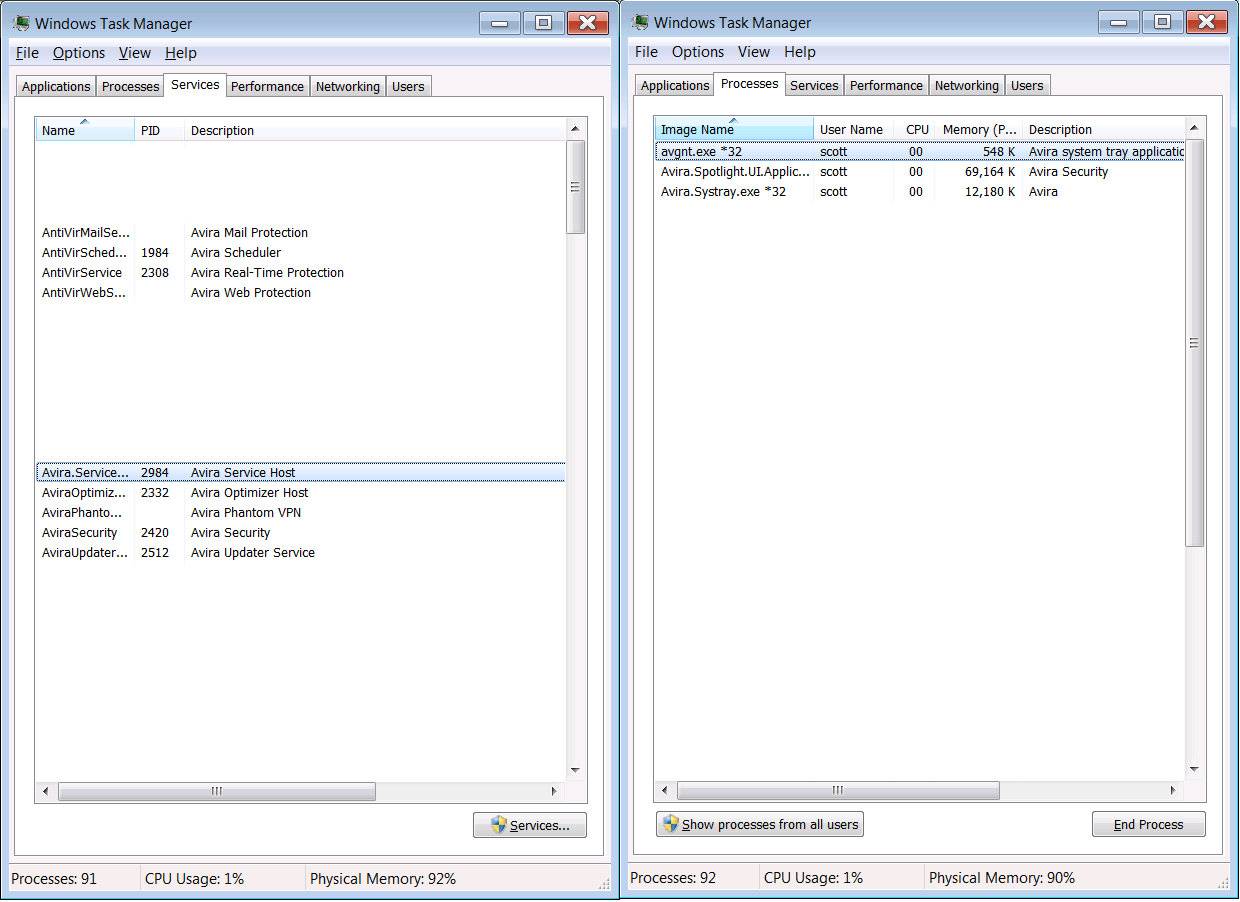
Thanks for the feedback. When I installed BgPKiller, the problem stopped, but it's a bit like those placebo-medical studies, I've got no other evidence that the BgPKiller had anything to do with the problem. I just manually selected Avira, I'll see if it starts the harassment again. Windows 7 below:
 0
0 -
And again: via twitter contact:
I think you submitted the same request already with another profile.
Once again, sorry for any inconveniences regarding this pop-up.
We are already working on a solution since this is not intended behaviour.
Thank you for your patience. /dk1 -
Poor communication on the community if it is a fact that Avira are now looking into it. Hopefully Avira will give a clear update here about what is going on and when it will be fixed.
0 -
The irony of this change is that Avira is now the malware it purports to protect users against. I'll give the devs a week to change their ways or I'm going to uninstall and unsubscribe from this product.
3 -
I have signed up specifically to complain that this pop-up 'feature' is ridiculous and annoying - I'm switching to another service. Admittedly I'm not paying you anything and I won't be paying them anything, so I suspect you won't really care that much. C'est la Net
1 -
I agree. Whatever developer thought that having the display pop-up every time I wake up my computer should be fired. Absolutely moronic. Like others have said, if there is no fix to this issue in the immediate future (next few days) I will be looking for a different anti-virus company. Fix this now AVIRA!
3 -
I think it is great that Avira shouts at me EVERY TIME I unlock my computer. I have short term memory loss and forget I have it installed since the last time I logged in an hour ago. Wait, what am I doing here? I better logout and back in to my computer remind myself. Amazing feature that was clearly well thought out.
Sarcasm intended.
1 -
Firstly - thank you to Wlad and all the other contributors to this thread. I too wish to express my annoyance with this irritating pop-up window which appears every time my laptop reawakens from sleep mode.
The settings feature is laughable frankly. Instead of allowing users to decide how often the control panel window appears, there is just one setting: language. Why would anyone decide to change their default language?
I suspect that this is a deliberately designed 'feature' aimed at encouraging free users to subscribe to Prime or move on.1 -
In task manager kill task " avira service host ". in apps and bacground processes. That solve pop up after wake up in my win 10 pro . Ad now avira wont start ,showing enabled protection in task bar, that cannot be disabled, And right click is still checking files, So now i'm not sure if i'm protected?
1 -

Hi there, I am not happy with the pop-up screen advertising to go prime. I am getting rid of this antivirus app if it does not go away soon. Thank you.
1 -

+1 on the frustration and annoyance of this new popup behaviour. The control panel pops up every time I come back to my PC and unlock my screen saver. Many times per day. So annoying that it's distracting me from my work.
I originally chose Avira because among all the virus protection programs it was the one that was least intrusive. Now that has changed completely - it's in my face all day every day. Like many other posters here, I'll give Avira a week or two to fix this and then I'll go look for a new antivirus program.
1 -
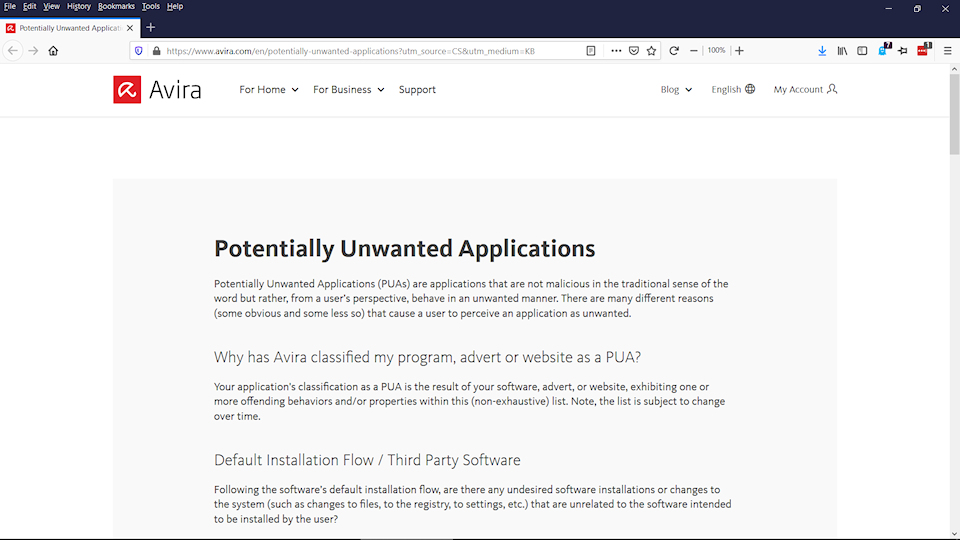
Just found this : https://www.avira.com/en/potentially-unwanted-applications?utm_source=CS&utm_medium=KB
Looks like Avira should classify their own software as a Potentially Unwanted Application.
 2
2 -
Perhaps my experience is useful for those still using Windows 7. Something I did has fixed this; no pop-ups for three days. I check my Task Manager and I see real-time protection running (see two screens about 10 messages back). If I select the program, it appears to be actively running and updating. But here's my big difference: the Avira icon is no longer anywhere on my taskbar. By removing it from my taskbar, I think it removed it from popping up. Cause and effect are hard to tell here, partly because I don't want to bring the symptoms back.
0 -

Same problem and it's super annoying. If they don't fix it I'll spring for Norton just to be rid of Avira's new intrusive popup on startup.
0 -
Hello,
quick update on our side - we're currently investigating this issue and will post an update once it's available. Sorry for any inconvenience caused. I can understand that it's not a very pleasant experience to have the Avira Control Panel showing on every start / awake from sleep.
Best,
Toni
Avira Community Manager2 -

FYI, Just another irritated user out here. Wanted to report I disabled all instances of Avira that are in my Windows 10 startup sequence and the pop-up still occurs. The actual culprit must be more deeply hidden and outside the normal Windows 10 startup.
0 -
UPDATE: I found a temporary fix for those that are annoyed with the pop up after logging in. This only works if you don't turn off your computer. You need to create a new desktop (use WIN + TAB) and log off. When you log in again, the pop up will show on the new desktop. Don't close it and return to your original desktop (use Ctrl + Win + Left arrow) et VOILA. Now it will appear on the second desktop and not annoy you anymore. Upvote if this helps
Original Post: I signed in on this website specifically to post on this forum. This 'new feature' cannot be a simply bug. I have tried to trace the process that is calling the pop up and it is well hidden as compared to all other processes. I cannot believe that this is not intentional and I am almost sure that people were well aware of it. Assuming that I am wrong and that it is really intentional. How long would it take for a company like yours to fix this? You literally just need to remove all startup pop up as a temporary fix.1 -
Just want to add my annoyance to those above. This needs to be resolved quickly or, I anticipate, many of us will be pressing the uninstall button.
0 -

came here for the same issue. we use avira for company and we have like 20+ users affected and is very annoying. guess is time to get office to change vendor.
0 -
Uninstalled for BitDefender.
That solved my problem.
0 -
Yep, I've got the same problem. Can't get used to the control panel popping up over & over after each wake from sleep, super annoying. If they can't fix this "intentional bug" in 10 days, I'm going to uninstall & go with ZoneAlarm's antivirus.
0 -

Agree with all the other comments the Avira screen constantly popping up is very annoying. Like others I will be looking for alternative anti virus software. It is a pity as I have been very happy with Avira upto now but their inability to fix this has damaged their reputation in my view and would put me off paying for their products too.
0 -
Same here. First I had about several days a teaser for some "new functions", reading carefully it announced it would install the Opera browser. And now after each boot the annoying pop up window.
Avira was an excellent free virus scanner. Meanwhile they aren't ranked in the top 3 anymore. But therefore we get a lot of user annoying pop up and stuff no one cares about but must click it away.
Avira, soon you get to my treshhold that I'll pay for a virusscanner. But this results in deinstalling Avira and go for the ranking 1 in the virus test and reviews!
Is this commercial push the result of the acquisition of Avira by Investcorp Technology Partners IV and management needs optimized commercial figures for their bonus?
1 -

Should this series of posts be changed to a discussion of suggestions and recommendations for the best free antivirus when we have ditched Avira?
0 -
Chris wrote
Should this series of posts be changed to a discussion of suggestions and recommendations for the best free antivirus when we have ditched Avira?
Yes!
What is your recommendations?
0 -
I've tried AVG and Avast in the past but they both seemed to slow down my PC though it was a while ago. What is the experience of other users and is Panda worth trying?
1
Post ist für Kommentare geschlossen.
Kommentare
87 Kommentare