


Continuous system restart request - installation problem
Abgeschlossen
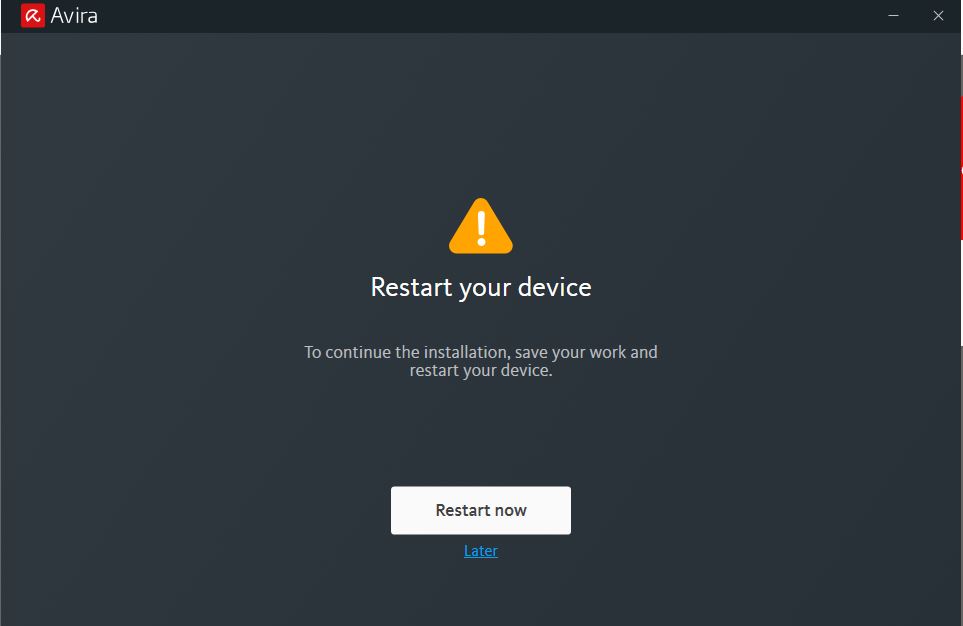
I started to install Avira Free version on my desktop (Windows 7 SP1). During the installation, there was a popup asking me to restart my system. I restarted my PC about 5 times, but this pop-up (below) never went away. I thought something might be wrong with the installation and hence decided to uninstall and re-install.
Then I uninstalled Avira from Programs - Uninstall, but the installation folder along with the files still existed under C:\Program Files (x86)\Avira\Antivirus. So I uninstalled Avira using IObit Uninstaller.
Now when I tried installing it a second time, the pop-up is displayed again.
(1) Please tell me how to get rid of this pop-up and install Avira.
-

Hello Srinivas,
The problems may well be caused by your old version Win 7 in combination with the new software.
The new software already requires a different basis for the functioning of the new settings.
Since Microsoft will stop patching vulnerabilities in Windows 7 operating systems and antivirus programs cannot close security holes at that level, we recommend migrating your operating system to a current Windows version as soon as possible.With a current Windows operating system, the Avira functions will run correctly. An up-to-date operating system is for your own safety.
We are sorry, unfortunately we cannot give you any other information.
Best wishes and a nice weekend
0
Post ist für Kommentare geschlossen.
Kommentare
1 Kommentar