


Avira Security does not have preference on macos 11 big sur
Abgeschlossen
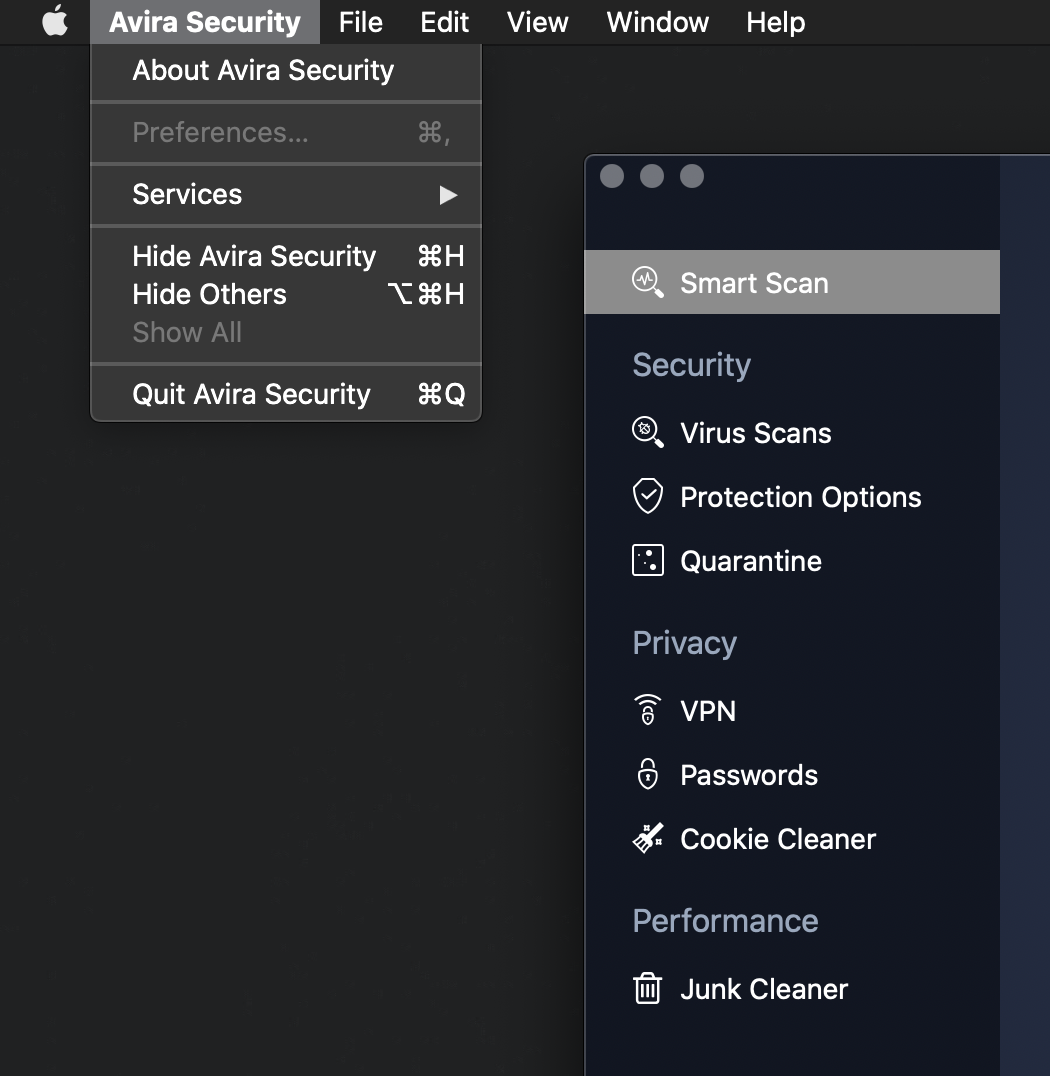
I have installed the newest version of Avira Security on macos 11 big sur, but I found that these is no preference icon on the left upper side of avira security window (On your website, I believe there are two icons, which are preference and reminder). Furthermore, the preference under the avira security menu is in grey, which means it cannot be set.
I have restarted my macbook for several times, but this problem seemed not to be solved. So I wonder if it is a bug or something else.
Thanks.
-

Hello Riko,
Well, if you're talking about the "Preference" tab, this is not a bug, as all preferences are set within the Avira app.
Best,
Lukas Huptas
Avira Community Manager
0 -
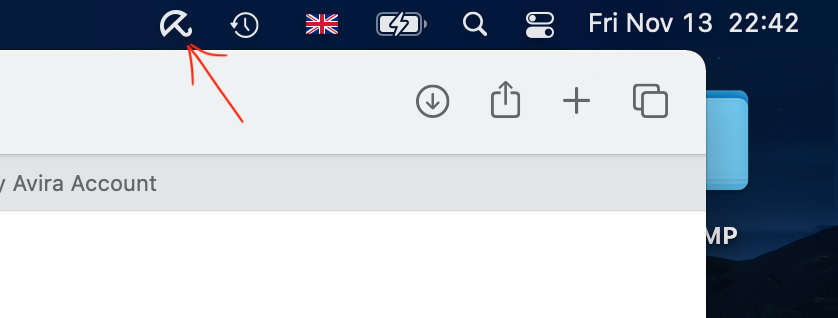
Thanks for your kind help. So could you please tell me how to hide the icon in the menu bar of macos as the old version did in its preference. Namely, to hide the icon in the figure below.
 0
0 -
Hello Riko,
There's no option to hide a menubar icon for Avira at the moment. There are 3rd party tools that allow you to configure the menubar of macOS which are very powerful. This could be a perfect solution for you.
Best,
Lukas Huptas
Avira Community Manager
0 -
Thank you very much for your help.
Best Regards,
Riko
0 -
You're welcome!
Have a nice day ahead.
Best,
Lukas Huptas
Avira Community Manager
0 -

Which 3rd party tools could I use / would you recommend to get rid of the icon?
0
Bitte melden Sie sich an, um einen Kommentar zu hinterlassen.
Kommentare
6 Kommentare