


installation of Antivirus Pro on Mac can not be finished
Abgeschlossen
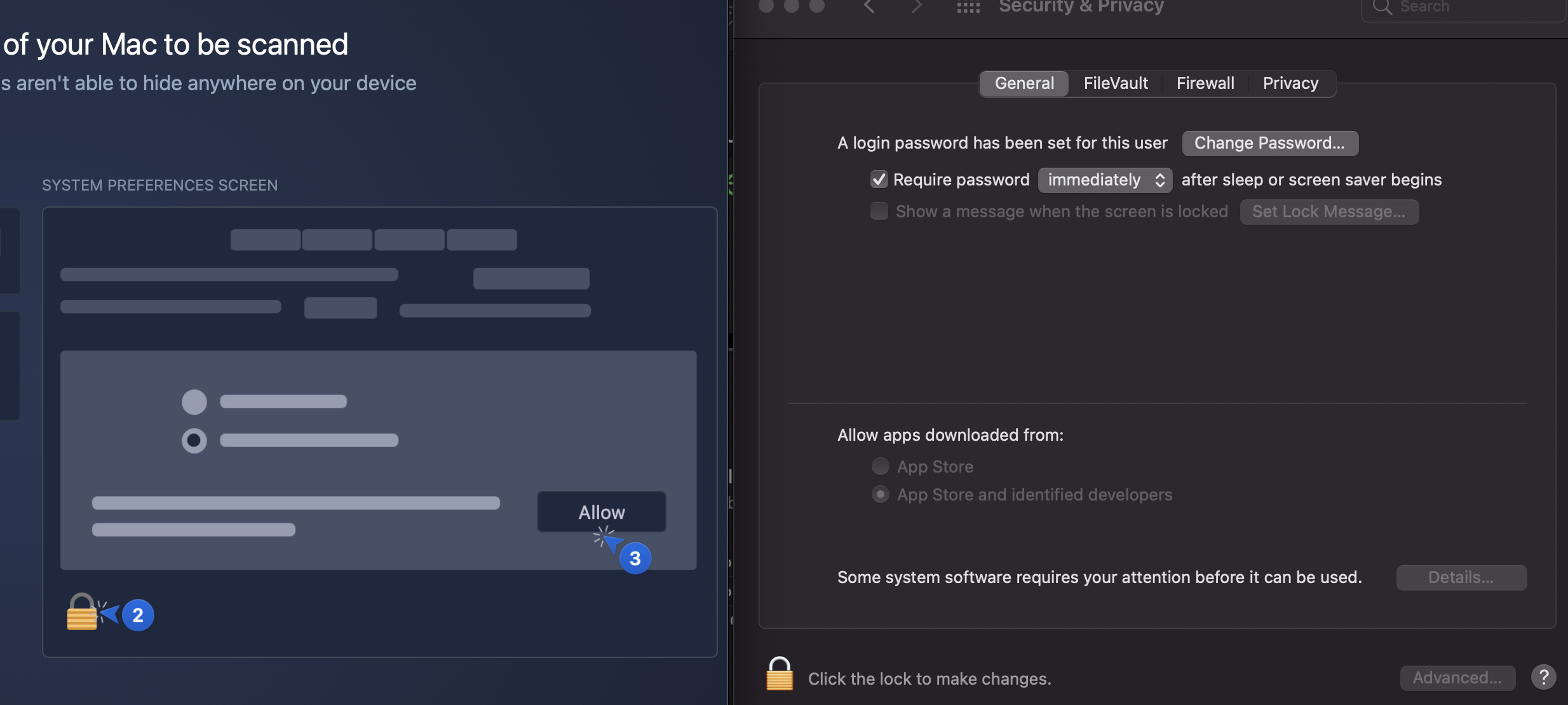
the last step in the installation process is to allow in SystemPreferences/Security & Privacy the use of the App. However the "Allow"-button does not appear.
The installation can not be finished.
Several times tried to uninstall Avira, cleaned the trash bin, restarted the system but without result.
The Mac is running on the latest macOS Big Sur (11.0.1)
-

Hello Eddy,
As also written in different other posts, please download Avira Free Security for macOS, install it and sign in with your registered Avira credentials.
Best,
Lukas Huptas
Avira Community Manager
-3 -

I am having the exact same issue. my Avira free Security for macOS is up and running. Where do I sign in with my credentials?
2 -

me too!!! no possibility of finishing installation, tried and retried , there is no sign in in avira free security and the install is stuck on privacy , NO ALLOW Button !!!
1 -

Same thing here.
 0
0 -

Same issue. I want my refund. I paid for a 3-year license.
0 -
This is the product,
Antivirus Pro on Mac...
0 -

Hello Constancio,
The Community is a publicly accessible forum, personal data may not and cannot be processed here - Data protection GDPR.
For license questions please contact the support team, customers with a valid license can contact the support directly:- https://my.avira.com/en/dashboard/support/tabs/support
- or
- https://support.avira.com/hc/en-us scroll down ⇒ CONTACT AVIRA
If something is still unclear, please let us know, we are happy to help.
Kind regards
NOTE: I see that you have already contacted the support team several times.
0 -
For the Free Mac Avira Security app to download and install properly on MacOS,
GO TO: https://my.avira.com/en/dashboard/devices
...and login to your account. Then click on DEVICES in the right hand column and choose Mac OS. Mine only showed my IOS device, so I CLICKED ON MacOS. It allowed me to download the Free Mac Avira Security app from there. It takes a few minutes to install, but it went perfectly.
0
Post ist für Kommentare geschlossen.
Kommentare
8 Kommentare