


"The operation couldn’t be completed. (OSSystemExtensionErrorDomain error 8.)" on MacOS 11.2.3

I am using Avira Security on my Mac. Ever since updating to MacOS 11.2.3 every time I do any action with Avira it pops up the following error
"The operation couldn’t be completed. (OSSystemExtensionErrorDomain error 8.)"
If I click on the OK button, then the Avira Security window is closed. I have restarted, uninstalled and reinstalled and get the same error.
From system.log I see the following lines when Avira is starting and then failing
Apr 13 15:19:54 Ians-MacBook-Pro com.apple.xpc.launchd[1]: Coalition Cache Hit: app<application.com.avira.security.8263052.8263057(502)> [1494]
Apr 13 15:19:54 Ians-MacBook-Pro com.apple.xpc.launchd[1] (com.avira.security.finderextension.E06EEC8F-97FF-4372-84C5-BDB66CB28507[1136]): Service exited due to SIGKILL | sent by Finder Extension[1136]
Advice please?
Many thanks, Ian
-

Hello Ian,
Please uninstall Avira and use the latest installation kit for reinstallation. This makes sure, that all permissions are set correctly as it's might be possible that due to the macOS update some of them are not set in place.
Best,
Lukas Huptas
Avira Community Manager
0 -
Hi Lukas,
As stated I have already done that and it has not made any difference.
Kind regards,
Ian
0 -
This is what happens if I do the following
- Completely uninstall Avira Security
- Reboot
- Download the latest installer
- Go through the install process
- Click on Start Avira Security
 0
0 -
Hi Ian,
I'm not 100% sure that the troubleshooting steps I write below will fix your issue, but I do know that Mac OS 11.X.X (AKA big sur) came with a lot of Security controls that may interfere with applications you install. Especially programs requiring high levels of access such as antivirus software.
1. Go to System Preferences -> Extensions -> Added Extensions -> Ensure Avira Security is checked off in right pane -> Finder Extensions -> Ensure "Avira Security Finder Extension" is checked off in right pane
2. Go to System Preferences -> Security & Privacy -> Privacy -> Full Disk Access -> Make sure both "Avira Scan Service" and "Avira Security" are present and checked off in the right pane
3. If the above steps do not work try updating your MacOS to 11.3.1
Hope this helps!
Jim
0 -
Hi Jim,
When you say "is checked off" I'm assuming that you mean that the checkbox is ticked not that all check boxes are disabled.
So my extensions look like
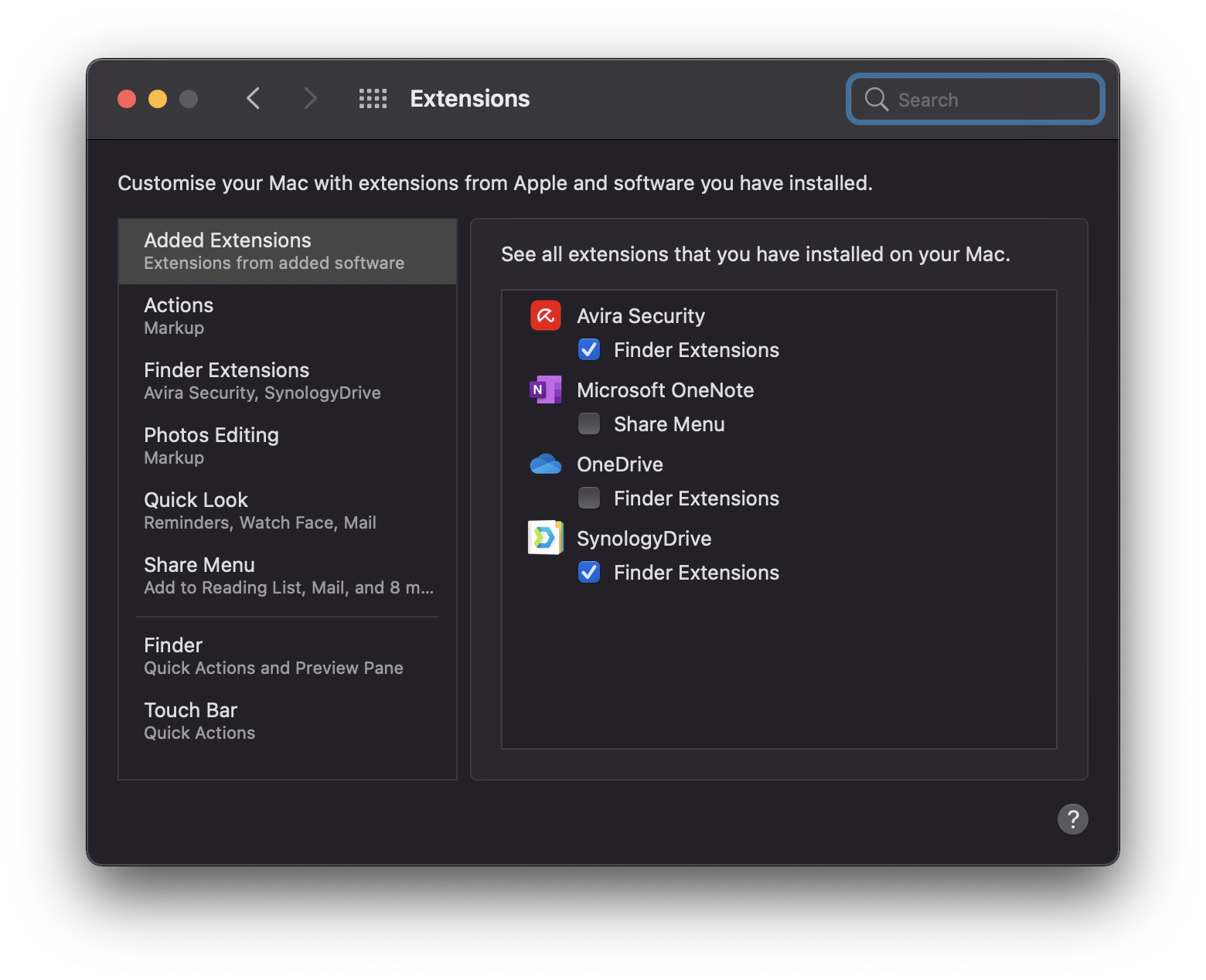
My privacy looks like
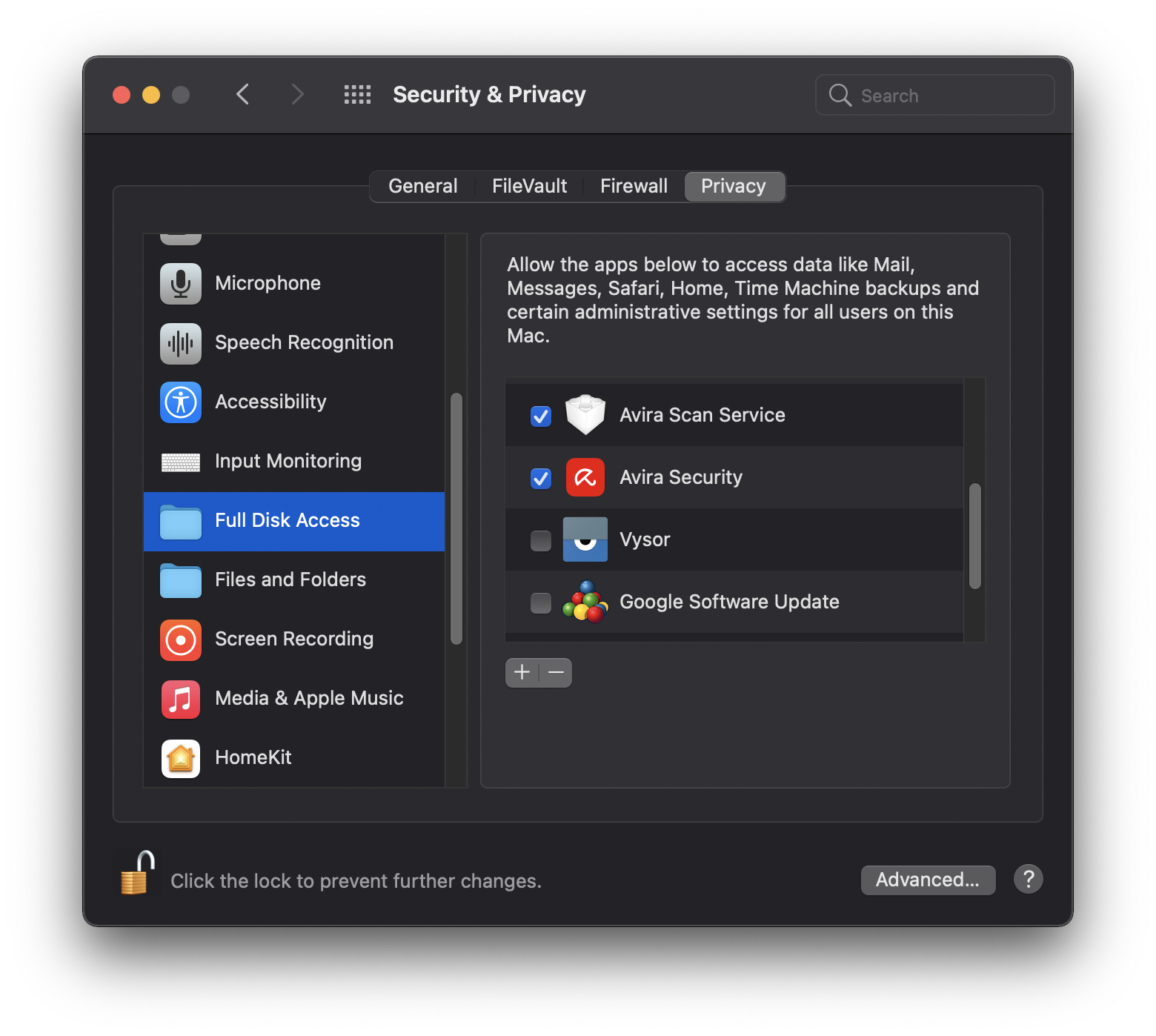
I have already updated to MacOS 11.3.1 and reinstalled with the latest installer and this is what I get
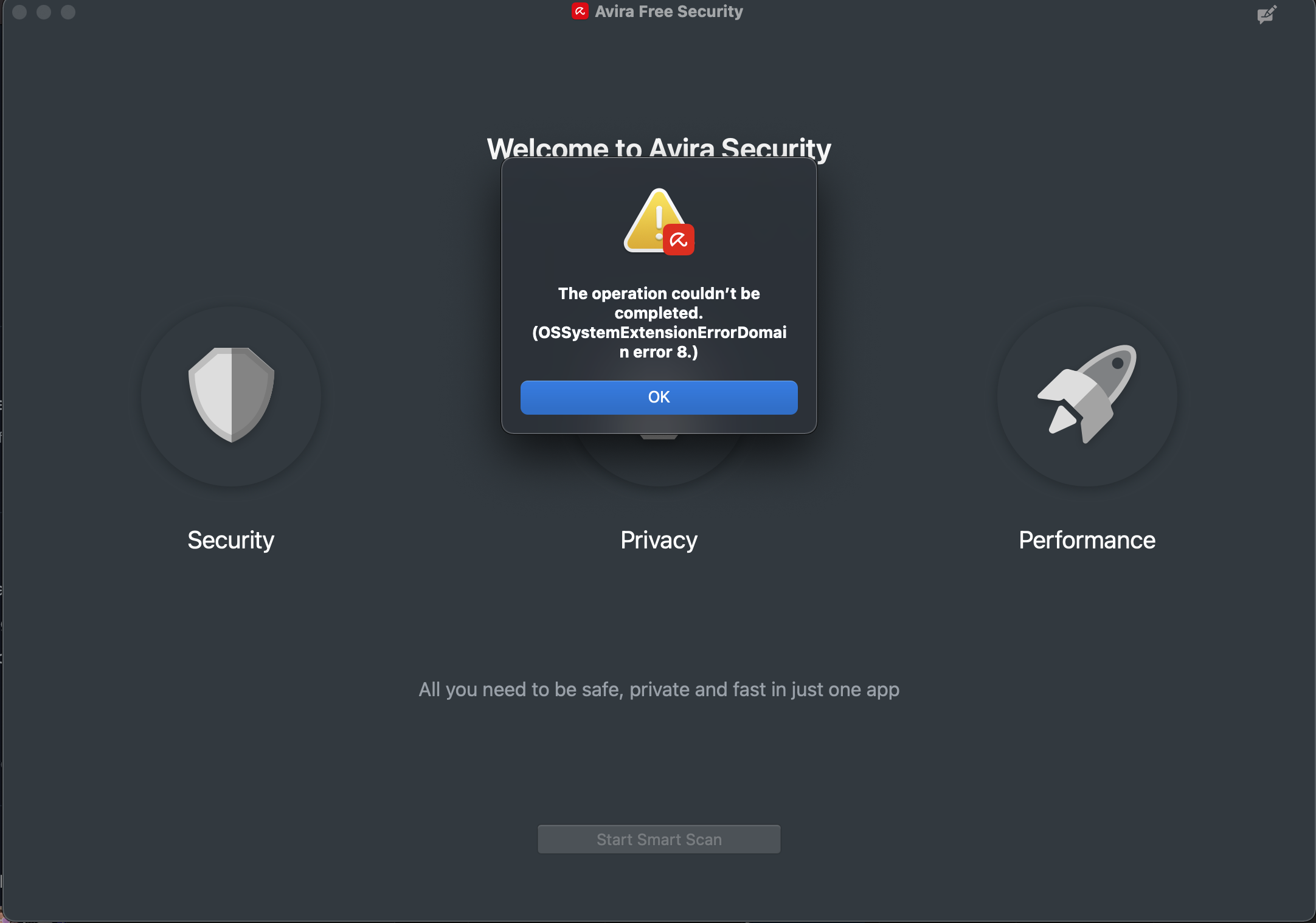
Hopefully from the screenshots you can see if there is anything missing which could be causing this.
Many thanks, Ian
0 -
Ian,
Yes this all looks configured correctly. My last suggestion would be to uninstall Avira using appcleaner as opposed to just dragging it to the trash. Then restart the computer.
Next head over to \Library in finder and search Avira. Then delete all the items you see under the "Library" tab. Finally empty your trash.
My only thought at this point is that their are corrupted files which are not getting deleted when you uninstall, therefore causing problems when you reinstall.
Best,
Jim
0 -
Is this ever going to be fixed? I've done everything that has been suggested with using an appcleaner and deleting files from Library and retried again with the latest version. Still have the same error - after installing I get an error mesage saying
The operation couldn’t be completed. (OSSystemExtensionErrorDomain error 8.)
0
Bitte melden Sie sich an, um einen Kommentar zu hinterlassen.
Kommentare
7 Kommentare