


Event ID 5038 + black screen system stuck at logon when Avira is running major version silent updater
Abgeschlossen
this evening my home desktop froze on a black screen at logon just after i entered my user account credentials on the logon screen...
i let it sit for about 5 minutes but since it was not doing anything, not even the drive access light was blinking (much)... i pressed first the shutdown button, and after a few more minutes the reset button.
i took care to look at the clock when doing both actions (shutdown button+reset) and after it started again, normally this time, i looked around the filesystem and event log to see what was the cause of the startup freeze...
and i found Avira staring back from there...
... it seems Avira tried to upgrade/migrate the free antivirus installation from C:\Program Files (x86)\Avira to C:\Program Files\Avira during this time...
... and it failed, because i found a ton of code integrity violation messages in the security event log which has almost a hundred (or more) of failure audits messages with this exact same message:
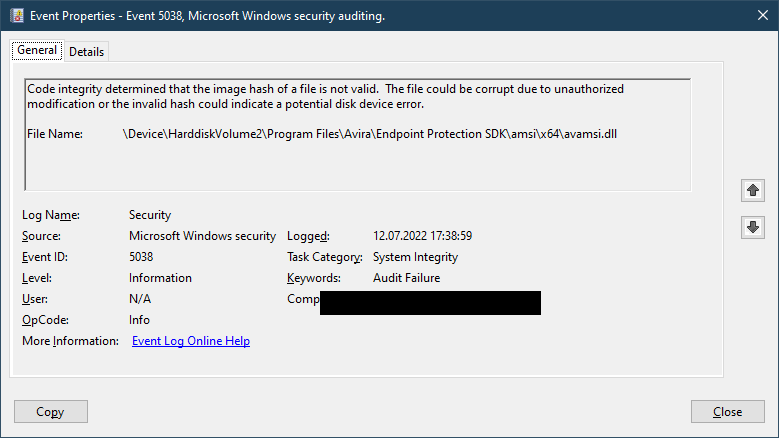
Code integrity determined that the image hash of a file is not valid.
The file could be corrupt due to unauthorized modification or the invalid hash could indicate a potential disk device error.

File Name:    \Device\HarddiskVolume2\Program Files\Avira\Endpoint Protection SDK\amsi\x64\avamsi.dll
i checked the signature on the DLL file... it seems to be correctly signed, but with what looks like an insufficient-EKU signature...
the SHA-256 file checksum is: ba89e558e648b095426d2e5f2de608e6d543bafea9f55cd0b66c3775abb5241c
it is signed with an Avira certificate with an EKU only for Code Signing (1.3.6.1.5.5.7.3.3)
and a WHQL signature with an EKU for
Windows Hardware Driver Verification (1.3.6.1.4.1.311.10.3.5)
Windows Hardware Driver Attested Verification (1.3.6.1.4.1.311.10.3.5.1)
Code Signing (1.3.6.1.5.5.7.3.3)
I think Windows 10 might be verifying according to the more restrictive EKUset that is found resulting from all the combined signatures when doing code integrity validations... and your DLL signature is probably failing the code integrity validation because the Avira signature is only for Code Signing and not for Driver Verification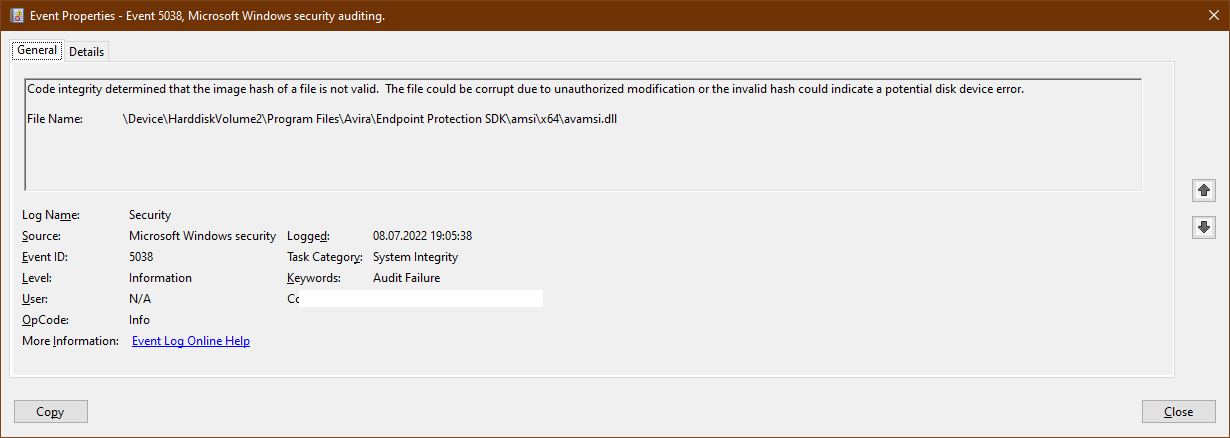
-
note: that screenshot above is from a few days ago because this post was actually created a few days ago... and it was stuck in "pending approval" because it contained a link to virustotal for that DLL (yes, it is the original one, and yes, it is clean).... and nobody from the moderators team bothered to push the approval button.
Today i managed to push it out of the approval moat by deleting the link to virustotal.
And yes... today it happened again, when i got home from work and started my PC... Avira got stuck again and caused a black screen after the user logon. These messages are the only weird messages in the event log around the time when the screen went black (and only the mouse cursor was showing)
 0
0 -

Hello Adrian,
Well could you be so kind as to provide us this information to get a better look on:
- Used OS including exact version/ SP number
- Details about your local installation of Avira
First, we would suggest doing a reinstallation of Avira while using the latest installation kit from our website and see, if the issue still persists.
Best,
Lukas Huptas
Avira Community Manager
0 -
welll... last evening it did it again when i got home from work, and this morning again... 2 black screens at logon in a row. (had to hard-press the power button)
i managed to log in with the backup admin account and i was met with an Avira error message about something not working as expected... so i decided to uninstall it.
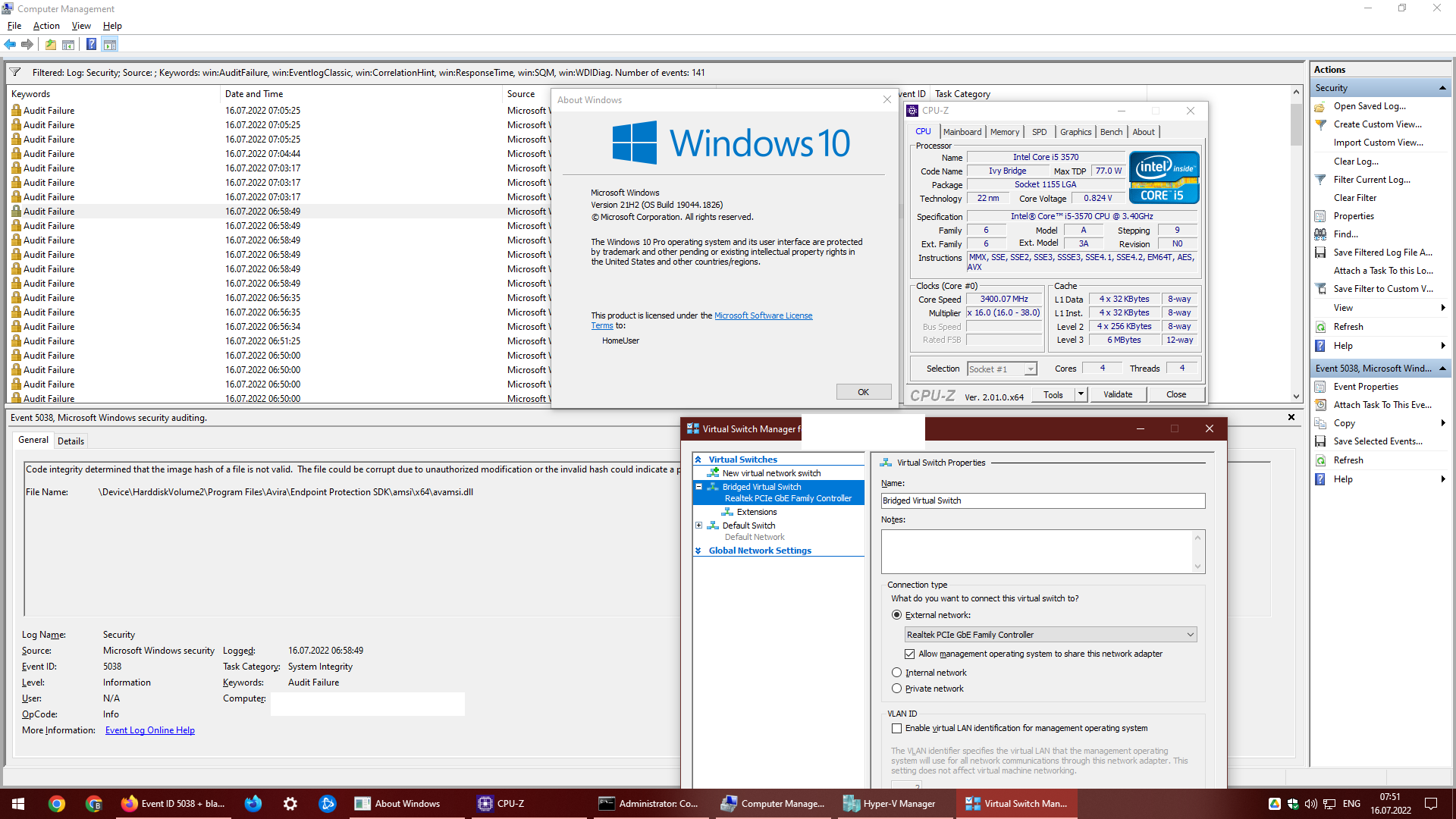
(note: my main OS account is a Microsoft Account, the backup one is a local-only account)OS Details: Windows 10 Pro x64, 16 GB RAM, with all Hyper-V components enabled. including Virtual Machine Platform and Windows Hypervisor Platform and also Core Isolation enabled under Windows Security -> Device Security -> Memory integrity
After making the first screenshot below i have uninstalled Avira, then rebooted and logged in normaly. (Second screenshot is from that.)
... i will wait a week or two before re-installing Avira, just to check if those black screens at account logon happen again or not, because the computer is a bit old so it might be starting to fail, however it doesn't have any other errors logged (or observed).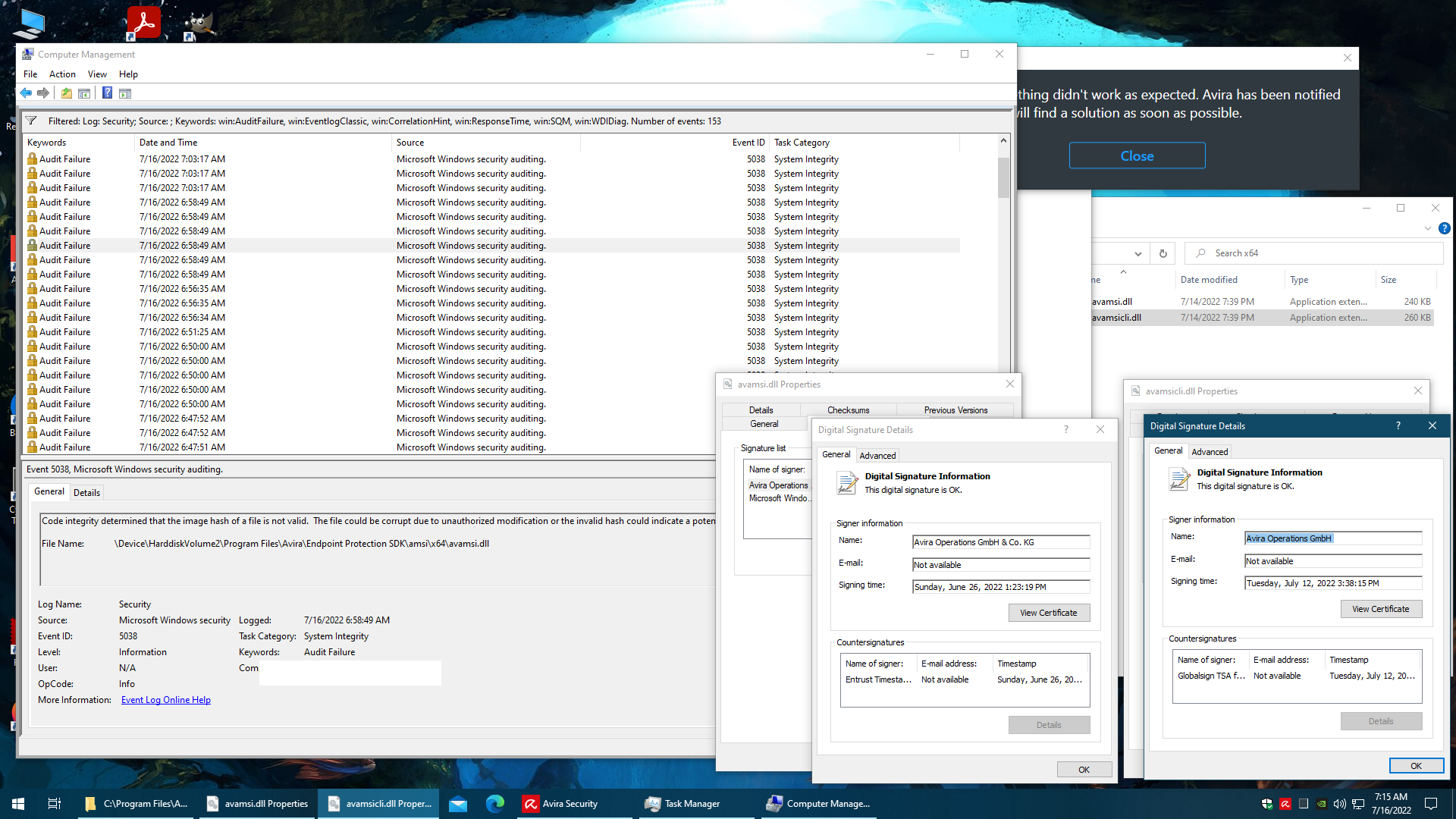
 0
0 -
update: two weeks have passed since i uninstalled Avira... zero computer errors.
Also, back in mid-July my schoolwork laptop (which also had Avira installed) also had started to get black screens at logon... it behaved exactly the same as my desk so i uninstalled Avira there too. Zero errors since then too.
(i even used 'SFC /scannow' and 'DISM /online /cleanup-image /scanhealth' to check the windows installation on both systems)
Note: the school laptop also has all the Hyper-V subsystems enabled and is even more secured than my desktop, since i have to use it in various courses. It has BitLocker (fully configured) + SecureBoot + Core Isolation + Microsoft Defender Credential Guard + TPM enabled
Today i have re-installed Avira Free on my desk, hopefully the black screen problems do not happen again... but i already found the first problem with it.
I opened another thread for that problem since i don't think it's related to the black screen issue: "GDPR: Avira Free AV (freshly installed) - injects MITM TLS interception Root Certificate in the certificate store"
(not going to link it because the last time that i posted a forum link the post got stuck in the moderation queue for quite a few days)0 -
Hello Adrian,
We've forwarded your request to our SLS and Dev. team as this issue isn't possible to handle here. Our team would like to do a deeper investigation so we'd like to send you an email.
Due to GDPR reasons, we are in need to ask you if this is okay for you. If so, just reply to this post and let us know. Afterward, we'll create an email ticket and move to this channel.
Best,
Lukas Huptas
Avira Community Manager
0 -
well... as i wrote in a (now-deleted) reply on that MITM certificate thread... i have now uninstalled Avira again and do not plan on installing it again anytime soon.
TL;DR reason (with tinfoil hat): Avira appears to have been weaponized as an interception platform by an eastern-european developer.0 -
TL;DR --> Nope, we're not.
Anyway, have a nice day ahead.
Closed.
Lukas Huptas
Avira Community Manager
0
Post ist für Kommentare geschlossen.
Kommentare
7 Kommentare