


Passwords not syncing

Browser: Brave
OS: Windows 11
Mobile: Android 13
----------------------------------------------------------------
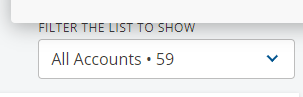
When I access the PWM Dashboard, there are 59 passwords in my account. But in my android devices, there are only 31 passwords that are showing.
Backup and Sync are turned on.

I like Avira Password Manager for its simplicity but because of this sync issue, I might consider another password manager.
-
I am using the Beta version and that is the issue. It is not syncing from the Dashboard online. So what I did is I removed myself as Beta tester and download again the app in playstore. It is now syncing, but I have decided already to use another password manager app. Will be deleting my account soon.
0 -

For the last few days my passwords have not been Syncing between my Windows 10 desktop password Manager and my Password Manager on my iPhone SE 2022, either. Any fix for this, or workaround for this, would be much appreciated.
0 -

Hi Andrew,
are you using the beta version of Password Manager or the normal one? And how many accounts do you have stored?
Best regards,
Markus
0 -
Hi Marcus
Thanks for your questions.
I am using the production version of Avira Password Manager on a Windows 10 desktop.
I have 69 passwords in my one account.
I use that account on the desktop and via the app on my iPhone.
I was able to fix the problem by logging out completely from Avira Password Manager on my desktop, and then logging in again.
Regards
Andrew
0 -
Good to hear that you could solve it.
0
Bitte melden Sie sich an, um einen Kommentar zu hinterlassen.
Kommentare
5 Kommentare