


Avira Prima "eats" hosts
Abgeschlossen
Hello, I wrote a request on Avira support more than a week ago. So no one helped. With the latest Avira update, I had to remove the antivirus on all computers, because Avira "eats" the hosts file. Avira does not notify about this.
Where can I see the Avira log?
In the old version of Avira Professional, it was in the settings that you can disable checking the hosts file. Now there is no such thing.
I set exceptions but it doesn't help me. it's unchanged.
I can show screenshots.
-

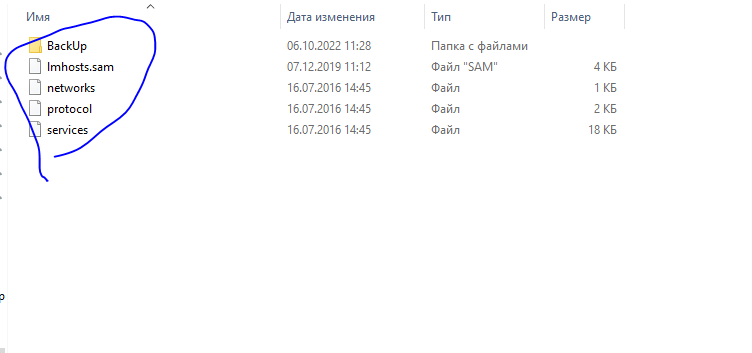
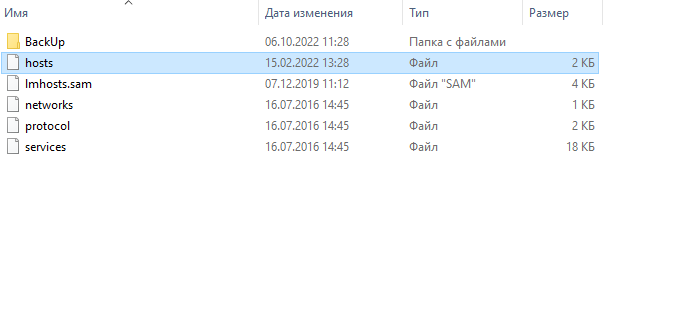
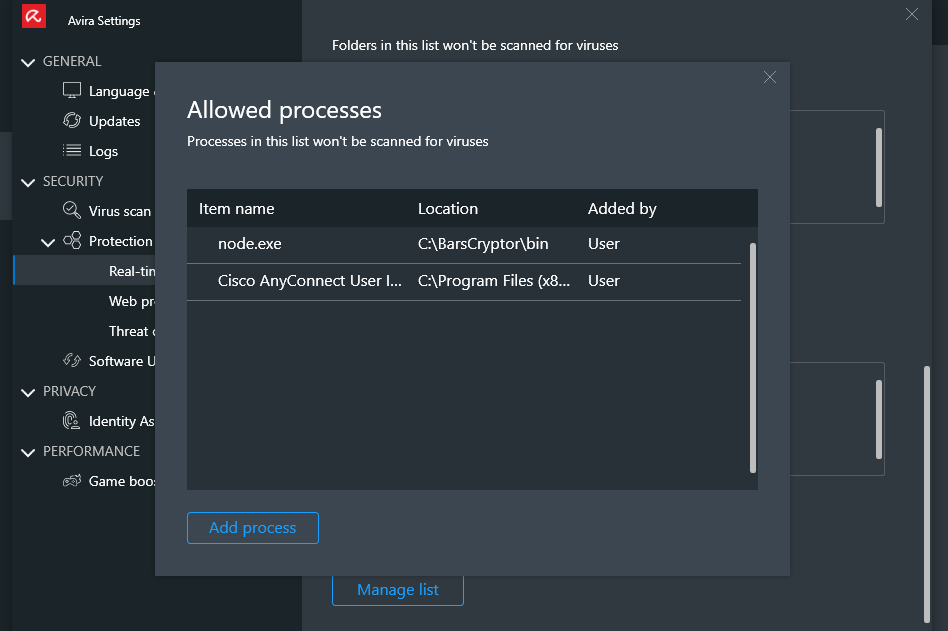 1
1 -

Hello Oleksandr,
You have already contacted support several times, and one (1) day after submitting your request, you were provided with instructions from support. If you do not get along with the instructions, it would make sense to continue contacting the support, also to avoid double processing. Unfortunately, double processing extends the processing time of the enquiries.
Only with a concrete description, if you cannot carry out the instructions or cannot find something, is it possible for the support team to help you. We do not have access to your installation.
You have also now contacted the support team again, so your questions should also be answered by them.
Here the community, a public forum, has no access to your customer data, this is only possible from the support team. You are already again in contact with the support, unfortunately we cannot help you here in the community. Thank you for your understanding.Many greetings
-1 -
are you kidding?
I wrote about this 1 week ago and didn't get answer yet.
So, I'm writing here maybe someone else know how to fix it.0 -
I created a request to support 9 days ago - no response. Awesome support
0
Bitte melden Sie sich an, um einen Kommentar zu hinterlassen.
Kommentare
4 Kommentare