


ventura 13
Répondu
I updated to Ventura 13 now I can't install avira
can someone help please?
-

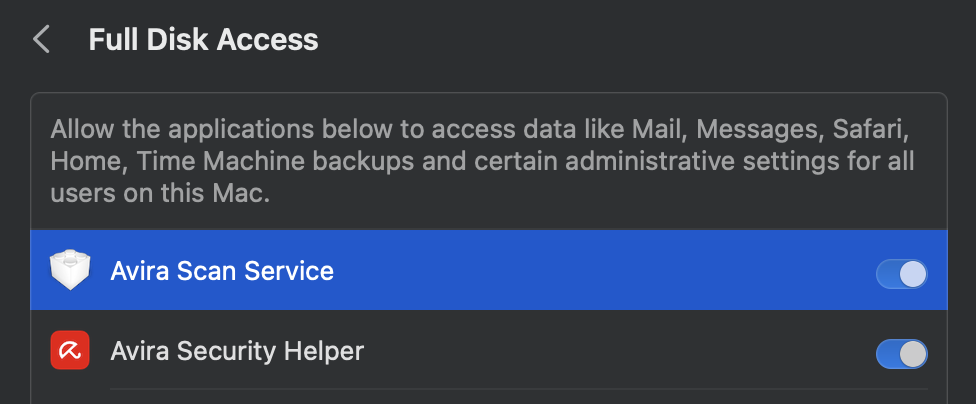
I've got exactly the same problem - I have enabled full disk access and it STILL won't work
 0
0 -

Very similar issue. I grant Full Disk Access to AVIRA but I cannot go further as Avira does not recognize that I have granted access. That's it.
0 -
I got this advise from Avira Support
This is an Apple bug in the migration of the privacy settings for system extensions.
The steps that worked in our other cases related to the macOS Ventura problem are the following:
Open System Preferences.
Click on "Privacy and Security."
Click on "Full disk access".
Select "Avira Scan Service."
Click on "-"
Click on Back "<"
Click on "Full disk access" again.
The "Avira Scan Service" should appear again. Activate it.
Make sure you have the appropriate permissions to continue with the steps above. The Helper Service must also be enabled. You can also try using the "Enable/Disable" slider.
0 -

Hello Emilio,
This is a double post from you:
There was an update from Apple and Avira works again.
Kind regards
0
Vous devez vous connecter pour laisser un commentaire.
Commentaires
4 commentaires