


Restore files
Terminée
How can I restore my files? I have disabled USB scan module, but Avira still found several files on my USB stick (totally harmless) and quarantined them. Now when I try to restore them, I always get this stupid message which doesn't clear things up. I tried rebooting, it didn't help. BTW, "please check the log" link doesn't do anything.

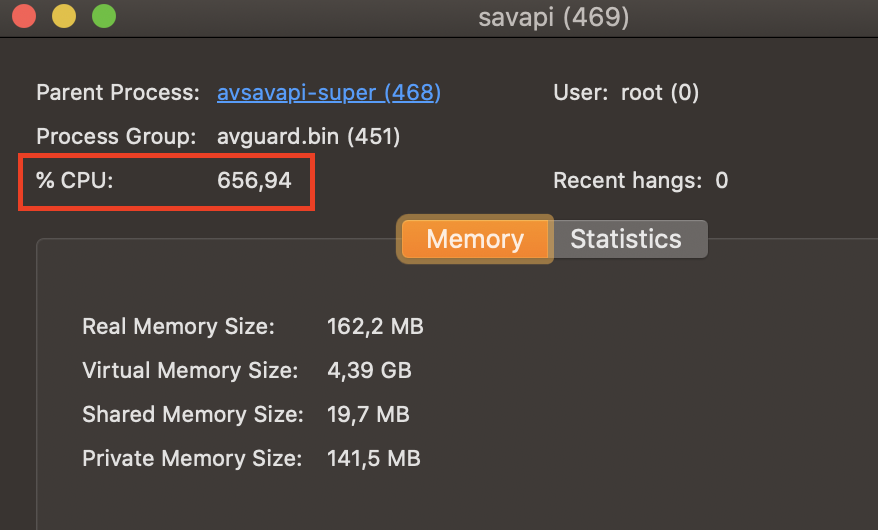
I want to delete Avira, but before I need to restore my files back to their original location. This antivirus of yours causes only problems: constant high CPU usage and deletes my files without my permission, and then fails to restore them.
-

Hello,
please check if the USB stick is still plugged in. Our quarantine can only restore to the original location. So your USB Stick needs to be plugged in. Or if the quarantined items original location has been deleted the restore wouldn't work either.
Turn off the USB scan module only stops the scanning directly on the plugin. If you start a normal scan, the USB Stick will be scanned after all.Best,
Dominik Klesel
Avira Customer Service Engineer
0 -
Dear Dominik,
Of course, USB sticks are plugged in and mounted. Is there a way to restore files to a different location?
Also it finally was able to restore one single file, but then immediately quarantined it back. And it kept doing this, forever - I restore, it quarantines.
How can I whitelist files and directories? I cannot find a way to do so.
0 -
Hello,
please click on the info button beside the quarantined item and check the path where the file was found. The folder must still exist and the path must be exactly the same to recover the file.
To set exceptions you can follow the guide under the following link:
https://support.avira.com/hc/en-us/articles/360000127478-How-do-I-add-folder-and-file-exceptions-for-the-Real-Time-Protection-of-Avira-Antivirus-for-Mac-
If you set the exceptions and have the correct folders, it should be possible for you to get all the files.Best,
Dominik Klesel
Avira Customer Service Engineer
0 -
 Good afternoon, I have the same problem as ganich, message says file already exist and I can't restore quarantined files in flash usb0
 -

You state that 'The folder must still exist and the path must be exactly the same to recover the file.' I didn't delete any folders but when I restored the files, a 'restored' folder was created and placed on the desktop and it looks like all of the files are there rather than where they were before.
0
Vous devez vous connecter pour laisser un commentaire.
Commentaires
5 commentaires