


Privacy Pal Changing Group Policy Settings OTHER USER shows ON RESTART

Privacy Pal Changing Group Policy Settings So that OTHER USER shows ON Every RESTART After Privacy Pal -Readjusts Privacy Settings. This Happens in 2 of my 5 Win10 rigs
-
There Doesnt Seem to be a catagory for Privacy Pal, So I am posting in AV 4 Win
0 -
Hello,
since I can't exactly figure out what happened to your computer from this post I can only recommend you to use the Windows build in system-restore functionality:
Windows 8.1:
https://support.microsoft.com/en-us/help/17085/windows-8-restore-refresh-reset-pcWindows 10:
https://support.microsoft.com/en-us/help/12415Hope this helps!
Best
Toni Ruch
Avira Community Manager
-2 -

Hi, I don`understand Toni's answer. It's totally unqualified.
The described settings are caused by Privacy Pal and you are able to reset via this tool.
Yesterday I had same problem after I used the enhanced mode, to change the privacy of my WIN10 Notebook.Use the PERONALIZED mode and klick the penzil.
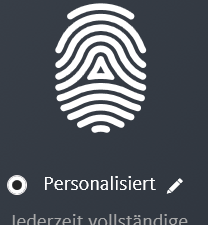
Then klick PROFI VIEW to se all possible settings.
Then klick PRIVACY and scroll to section REGISTRATION.....
Then disable "Name of the last......................"
Hope this helps.Besides I'm not amuzed about the situation after Privacy Pal was changing my settings. The tool "occupies" the system, so that you are partially not longer able to change settings via normal WIN10 privacy settings. Also if you uninstall Privacy Pal, there is no reset of that setting.

AVIRA immediately must change that unbelievable behaviour in Privacy Pal.Regards Armin
2 -
Hi Armin Posch
thanks for your help here - you've done way better than me :)
I'm going to keep an eye on threads with the same topic and redirect them to your reply here.
Best
Toni Ruch
Avira Community Manager
-2 -
Toni,
please let me know how I can fix this problem from outside my system. I cannot log in anymore and all I see is this "other user". I can't get into my Windows 10.
This happened right after installing privacy pal! I am not amused at all.
Please reach me at stammeier@gmx.de.
0 -
Avira, I cant fix this same problem as everyone faced. I just want to install Kaspersky and Kaspersky suggested to uninstall Avira. So I did it. Heck, when I restart it and it turned out my ORIGINAL USERNAME AND PASSWORD is not working. Now Avira has become a virus to me!!!
0 -

Hello Yushi,
We do not fully understand your request.
You write here in a post "This happened right after installing privacy pal!"It would be very helpful if you were so kind as to describe your problem to us in detail.
- Which OS is installed on your computer?
- Which Avira version is your question about?
- What instructions did you use to uninstall the Avira version?
- Or did you delete your account?
After uninstalling the Avira license, it is possible to reinstall the license.
It is important to log in to your customer account with the email address with which the license was purchased.
Each subscription purchased in the Avira Online Shop is assigned to a customer account, which is always assigned to the email address used for the purchase and is automatically activated under this email address. With the uninstallation, your access data to your Avira customer account and the email address used when ordering the Avira license do not change!
Questions about your license - with a valid license - can only be dealt with by the support team via your customer account by email in accordance with GDPR.https://my.avira.com/en/dashboard/support/tabs/support
Here in the Community we do not have access to your customer account. Thank you for your understanding.
When deleting the Avira account, your access to your Avira account will be deleted and cannot be restored, see: "My Avira Account" ⇒ "Data & settings"
Delete account
You can delete your Avira account at any time. All your data will then be removed from our databases. This includes data on previous purchases, subscriptions, device information, etc. Note: Deleted data cannot be restored. Account deletion does not affect installed Avira products. Our free products will continue to protect you.There is a difference between uninstalling the Avira version and deleting the account.
You will know how you tried to remove the Avira installation.
Again, an uninstallation does not change the access data to the license and can be restored at any time with the correct email address during the license order process and the corresponding password you have chosen.
If anything is still unclear, please let us know.Many greetings and have a nice Sunday
0
Vous devez vous connecter pour laisser un commentaire.
Commentaires
7 commentaires