


Start Smart Scan grayed out
Répondu
On the status screen in Avira Free Security all the icons and Start Smart Scan button are grayed out. Does this mean the app is inactive and not protecting my iMac?
-

Hello Mark,
Is there no display:
- Of your installed version?
- Whether virus protection is switched on?
- Last update? Hour?
- Smart Scan not highlighted in blue?
- Has Avira already worked, since when did the change occur?
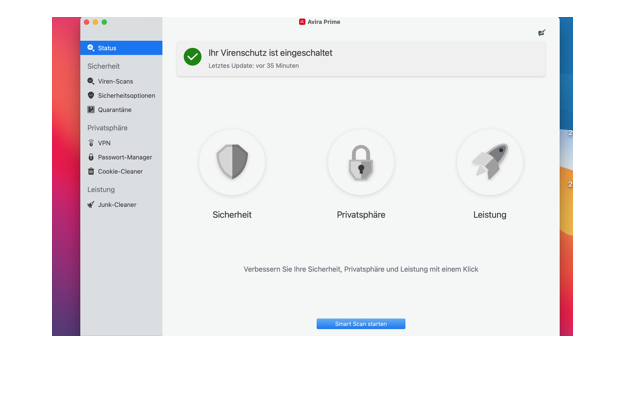 If all information is missing, the installation does not look correct and working.
You have not given any information about the installed version of the iMac, current version with all updates?
Have you already tried a repair of your installation or a new installation?
With precise information about the installation and an exact description of the error, we will try to give you concrete information.Kind regards
0 -

I am having the same issue ... the Status and the Virus Scan buttons are all grayed out. Everything else seems to be working fine.
Apple iMac, iMac15,1 ... macOS Big Sur – version 11.4
Avira Security – Version 1.6.0 (1.6.0)

 0
0 -
Hello Larry,
We are sorry that there are currently difficulties with the installation, we regret this increased workload.
For the difficulties affected by the bug, here is official information:
Kind regards
0
Vous devez vous connecter pour laisser un commentaire.
Commentaires
3 commentaires