


Installation Issue with MacOS

Good Morning,
I'm trying to install Avira onto [macOS 10.15.7 (19H2) (Build 19H2)]
Model [iMac, Intel(R) Core(TM) i7-4771 CPU @ 3.50GHz, Late]
The installation instructions said that there would be 2 different programs (Avira Security and Avira Scan Service) that will allow Avira to scan the system. However, the only program available is just the Avira Security program.
I've uninstalled and reinstalled the service but keep running into this problem. What information do you need in order to resolve this problem?
V/R
RT
-

Hello Ryley,
Unfortunately, we do not fully understand your information. Have you installed the paid Prime version or the Free version of Avira? You have not provided any information on this.
Here you can find a screenshot with the instructions for the scan offers, in addition, there is also the offer at the opening "Status", there you can find "Start Smart Scan".
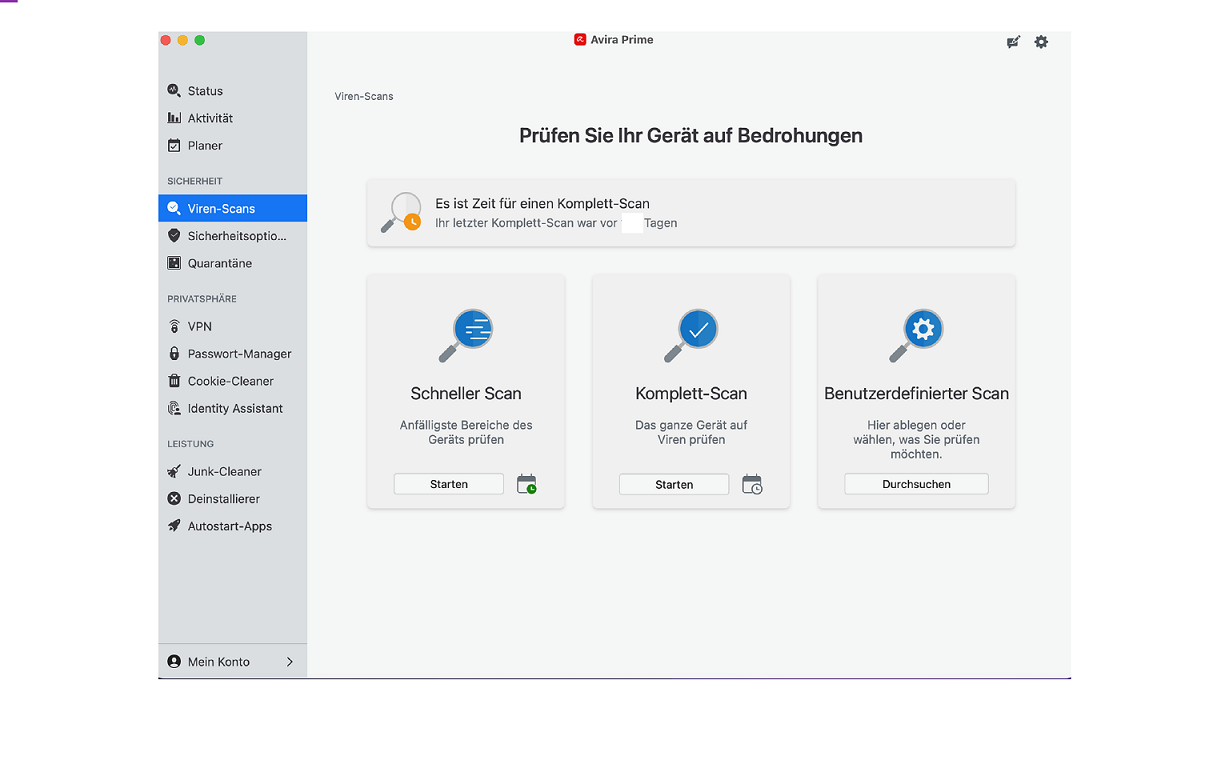
Please check your Avira version and your installation if you are only provided with 1 available program.
Premium customers with a valid license and correct registration can contact the support team directly from the customer account under "SUPPORT".
The support team has your contract documents and can check your installation there. You are writing here in the community, a publicly accessible forum. Unfortunately, we do not have access to your customer account or your installation. Unfortunately, we cannot solve your problem. Thank you for your understanding.
Many greetings
0 -
Pascha45,
Right now my company is experimenting with Avira's Free service to see if it's a good fit with our clients based off ease of installation, customer service , and pricing of course.
As stated before , we're using the Free version on a few Mac/iOS devices since one of our other Malware tools failed to detect a phishing attack.
I've read previous posts that not having the scanning tools (Avira Security and Avira Scan Service) is a common occurrence on Mac devices.. Is there any documentation of how to resolve the problem? I can provide screenshots of what we're witnessing on our side to help diagnose what issue the Avira downloader is having.
V/R
RT
0
Vous devez vous connecter pour laisser un commentaire.
Commentaires
2 commentaires