


SearchRange Detection
Completato
Hi there,
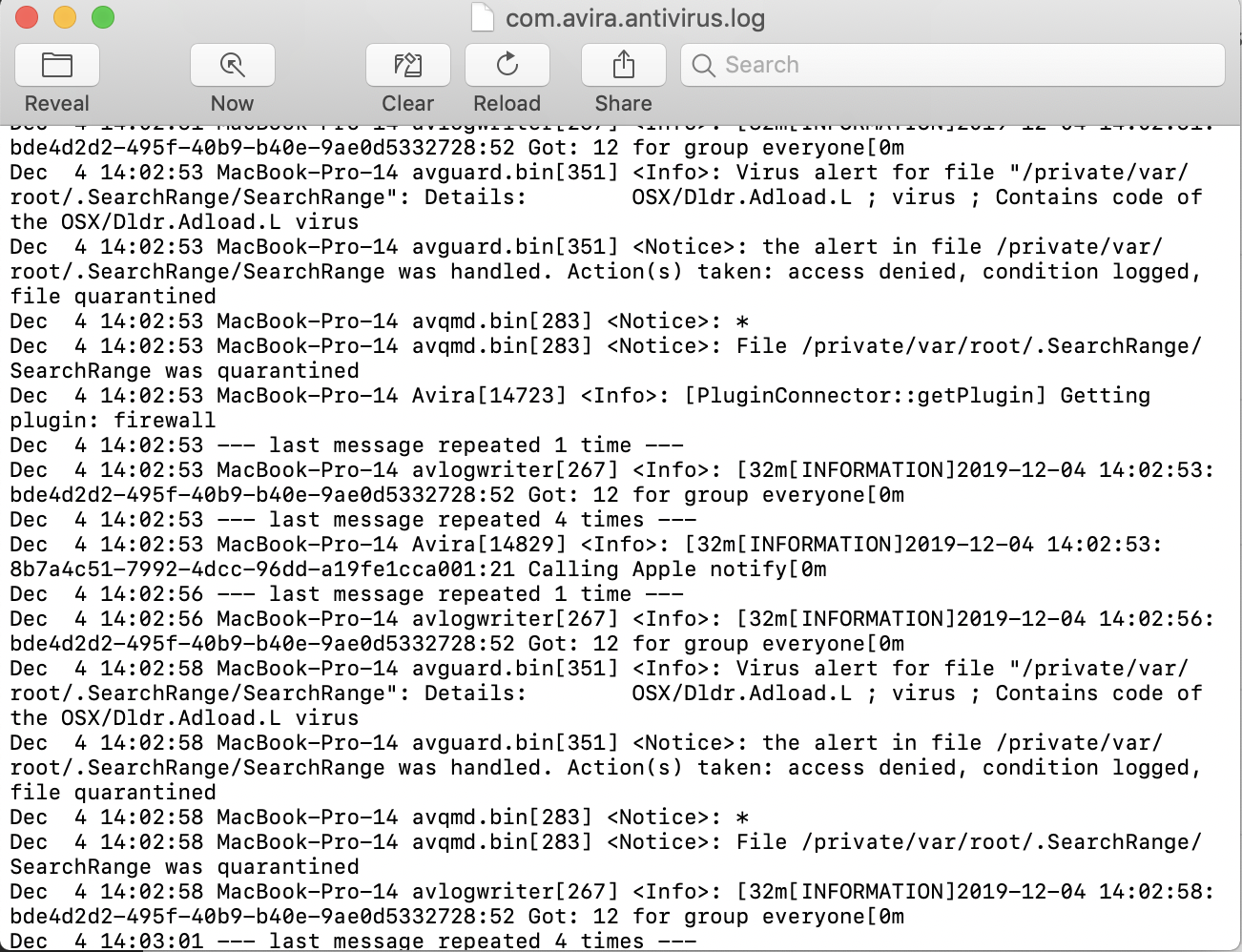
I am getting a constant alert that Avira has handled a detection, it pops up at the top of my screen literally every 15 seconds or so. When I look at that log it seems to be a threat called SearchRange. I have never seen this before, nor can I find it anywhere in my computer. How can I solve the quarantines and/ or how do I get Avira to stop notifying me every 30 seconds?
-
The log says its a file with the name /private/var/root/.SearchRange/
But when I look for it on my computer it's no where to be found... any ideas?
0 -

Hello Caten.
Is it possible that you can provide us with a screenshot of that exactly alert so that we can understand that better?.
Thank you so far.
Best,
Felix Bär
Avira Customer Service Engineer
0 -
This is the log and the banner notification that continuously pops up.
 0
0 -

Hello Catan,
Please try this way to get rid of this infection:
- Disable Avira Real-Time Protection
- Run via macOS Terminal this command (you need to use your login password):
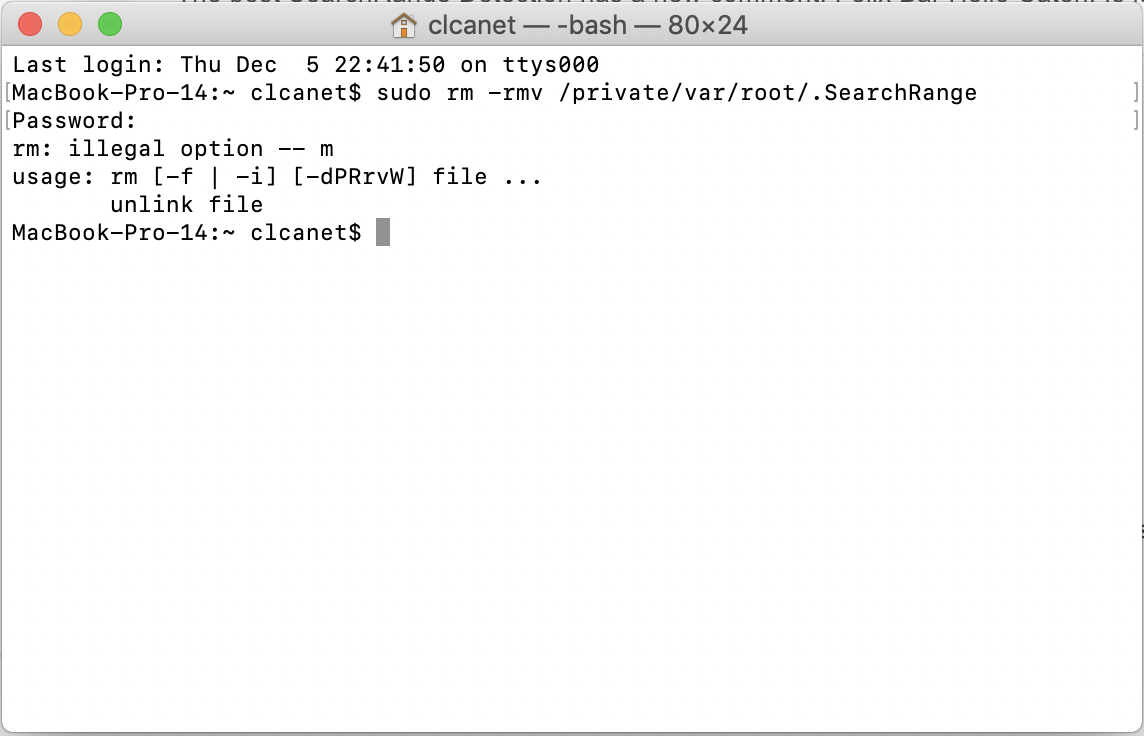
sudo rm -rmv /private/var/root/.SearchRange - Activate Avira Real-Time Protection
- Run a complete system scan afterward
Best,
Arthur Lukas Huptas
Avira Community Manager0 -
That didnt seem to work. This is the code I got when I entered the command I was given. Avira is still detecting the same problem
 0
0 -
Hello Caten,
Well, I'm really sorry but there was a typo. So please use this command:
- sudo rm -rf /private/var/root/.SearchRange
Please note that this is a really powerful command which needs to handled with care. If possible run a Time Machine backup straight before using this command.
Best,
Arthur Lukas Huptas
Avira Community Manager0 -
That seemed to have worked. Thank you so much for your help!
0 -
Hello Caten,
Thank you for your feedback. If you're having any questions feel free to come back at any time.
Best,
Arthur Lukas Huptas
Avira Community Manager0
Il post è chiuso ai commenti.
Commenti
8 commenti