


Finish setting up Avira Antivirs. Repeatedly has to be done.
Completed
Periodically I get a notification to finish setting up Avira. This links to the setup wizard guide to set 'Full Disk Access'. I have numerous times, had to remove the previous entry and then reassign access. Avira app reports that "The computer is safe and, your antivirus is up-to date" and the only way to terminate the alert is to complete the process.
Can you advise why and how to solve the error.

-

Hello Brady,
Well, this is a really strange behavior. Which version of macOS do you use? Is this a physical Mac or a virtual one?
Best,
Arthur Lukas Huptas
Avira Community Manager
1 -
Hello Brady,
We've released a new version (4.0.1.42) which fixes this behavior.
Best,
Arthur Lukas Huptas
Avira Community Manager
1 -
Hi Arthur and team.
This does not seem to be fixed. I have daily notifications to finish setting up Avira and I am repeatedly clicking on 'finish the setup' and am getting told that it is done and that I am all set. It appears to slow down my computer a lot during several minutes prior to the message coming.
I have a physical Mac running Mojave 10.14.6
And the Avira is 4.0.2.24
It is about to drive me nuts.
Many thanks,
Heike
1 -
I am experiencing the same problem! It is extremely annoying. As instructed, I uninstalled the old version and installed the new version, got the message, followed the set up instructions and I'm still getting notices to finish set up.
Please help!!!!!
Jane McDonough
1 -
I have exactly the same issue. It started a week ago with Avira 4.0.3.1 on Mojave 10.14.6.
Please, can you fix this issue.1 -
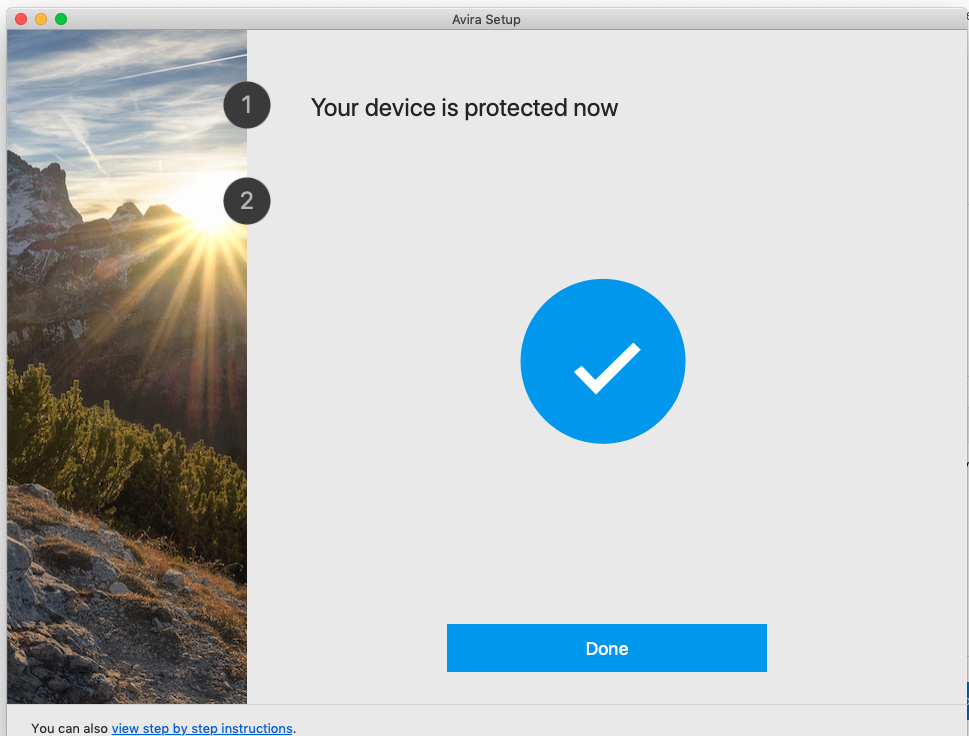
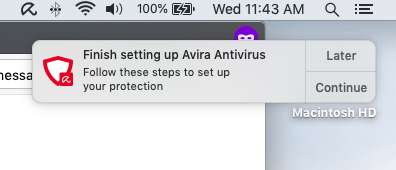
This certainly seems to be a chronic issue. I am also having this same exact issue. I tell it to "continue" and it says "Your device is protected now", shows a big check mark and says "DONE". Whenever my computer goes into "sleep" and wakes up again I get the same message about having to finish setting up Avira. This has been going on for about a week or so and is beyond annoying and it doesn't appear that y'all are trying to fix it. I'm also running Mojave 10.14.6. Can y'all please get this fixed?
 1
1 -
Why is there no response to this?? Is there no customer support at Avira?
1 -
same exact problem here. It appears almost every 15 minutes or so. Has anyone managed to resolve this?
my OSX: Mojave 10.14.6
Avira ver 4.0.3.1
thanks
1 -

Lukas Huptas this is still an issue. Can you please get it fixed?
I am running Mac OS Catalina 10.15.6 and the latest Avira Pro and this issue is still present.
1
Please sign in to leave a comment.
Comments
9 comments