


SearchRange Detection
Completed
Hi there,
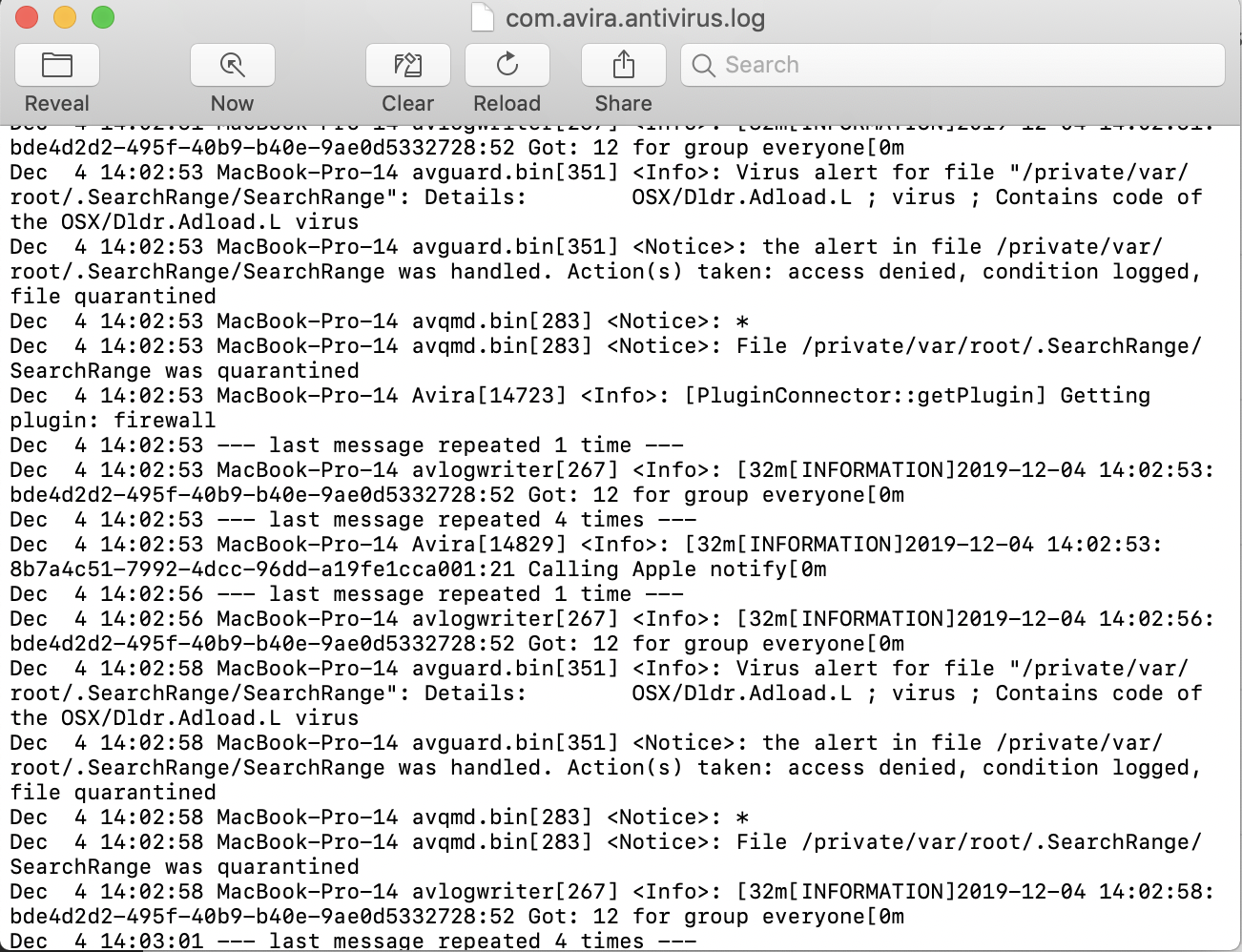
I am getting a constant alert that Avira has handled a detection, it pops up at the top of my screen literally every 15 seconds or so. When I look at that log it seems to be a threat called SearchRange. I have never seen this before, nor can I find it anywhere in my computer. How can I solve the quarantines and/ or how do I get Avira to stop notifying me every 30 seconds?
-
The log says its a file with the name /private/var/root/.SearchRange/
But when I look for it on my computer it's no where to be found... any ideas?
0 -

Hello Caten.
Is it possible that you can provide us with a screenshot of that exactly alert so that we can understand that better?.
Thank you so far.
Best,
Felix Bär
Avira Customer Service Engineer
0 -
This is the log and the banner notification that continuously pops up.
 0
0 -

Hello Catan,
Please try this way to get rid of this infection:
- Disable Avira Real-Time Protection
- Run via macOS Terminal this command (you need to use your login password):
sudo rm -rmv /private/var/root/.SearchRange - Activate Avira Real-Time Protection
- Run a complete system scan afterward
Best,
Arthur Lukas Huptas
Avira Community Manager0 -
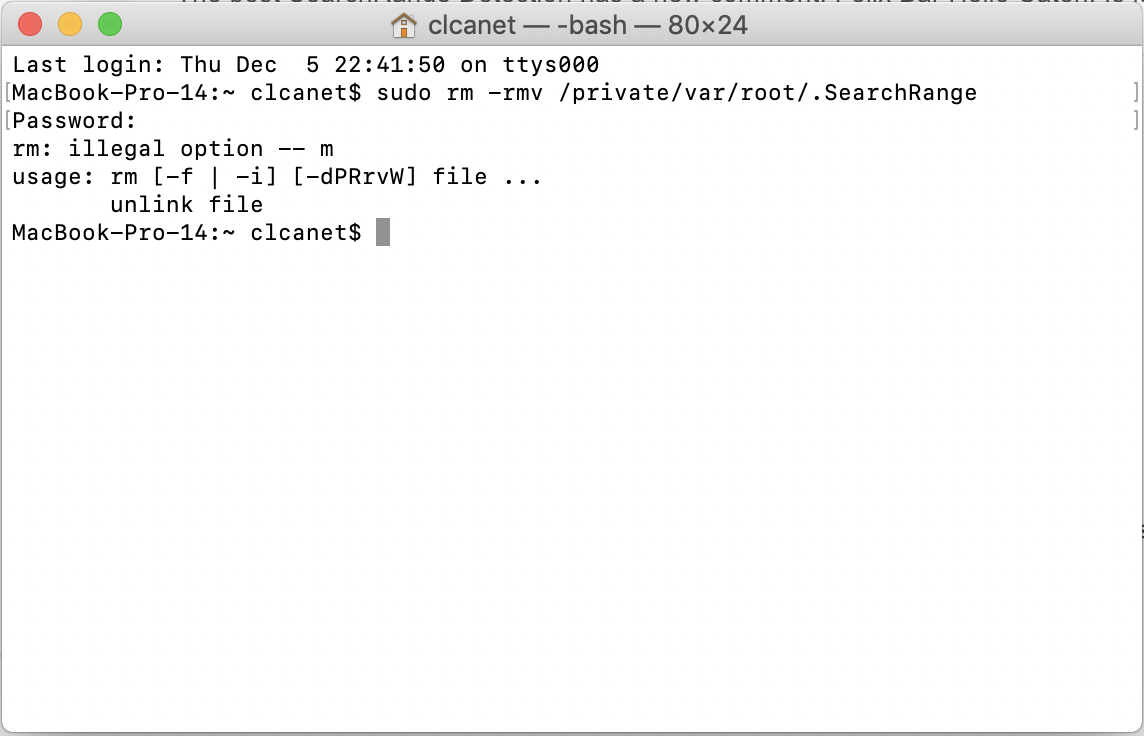
That didnt seem to work. This is the code I got when I entered the command I was given. Avira is still detecting the same problem
 0
0 -
Hello Caten,
Well, I'm really sorry but there was a typo. So please use this command:
- sudo rm -rf /private/var/root/.SearchRange
Please note that this is a really powerful command which needs to handled with care. If possible run a Time Machine backup straight before using this command.
Best,
Arthur Lukas Huptas
Avira Community Manager0 -
That seemed to have worked. Thank you so much for your help!
0 -
Hello Caten,
Thank you for your feedback. If you're having any questions feel free to come back at any time.
Best,
Arthur Lukas Huptas
Avira Community Manager0
Post is closed for comments.
Comments
8 comments