


Installation problem with macOS catalina 10.15.6
Completed
Avira Installer appears in Applications, along with Avira. However, I keep getting the message: "Finish setting up Avira Antivirus..." but when I follow through to my Security settings, it shows Installer already listed & tick enabled. I've tried uninstalling, rebooting & reinstalling but nothing with stop the message returning.
-

Hello Avira Customer,
Your contribution has been forwarded to the support team for further investigation. From there you will receive further information.
If anything is unclear, please let us know, we will be happy to help.
Many greetings
0 -

Hey,
we've seen this issue sporadically happen on various Avira Antivirus installations on Mac and have investigated it. There is a new version in the pipeline that should fix your problem. Unfortunately the timeline for the release is not fix yet, therefore I can't share it.
Once it's available I will publish a message in here.
Best,
Toni Ruch
Avira Community Manager0 -
I have just attempted yesterday to update to new version (Avira Free Security) on my Mac running Catalina 10.15.7 and assumed it would be painless, simple and most importantly, trouble free. However, the problems were many. It appeared that the software did not un-install the previous Avira Antivirus, and there were two versions running simultaneously. The install never did appear to complete, and my Mac experienced unforced reboots, and spinning cursor icon many times. It appeared some behind the scenes processes were running to the exclusion of all else. After many attempts at hard resets (power off and on) I finally booted in Safe Mode. I then deleted the old version of Antivirus using Terminal command in support thread. [/Applications/Utilities/Avira-Uninstall.app/Contents/MacOS/Avira-Uninstall]. This appeared to complete successfully.
I then tried to run zip file to further cleanse my Mac of any Avira files, but was unable to determine if this worked.
I have been searching for instructions to delete the new version that was installed, but to no avail. I want to delete my Mac of ALL Avira files before I attempt to reinstall. Are there instructions on how to remove all Avira files in preparation for new version? Does putting the application into the Trash remove all files?
0 -
Another problem I forgot to mention was that after installing the Avira Free Security, it did not show in my online account that the software was installed, and still presented the install button. This was at the beginning of my problems as described above.
0 -
I have tried running the Avira_Uninstaller.zip file per the instructions given in the support article, "How do I uninstall leftover files relating to Avira Antivirus for Mac without the uninstaller"? After clicking on the download, it appears to open/run without any intervention from me; that is, the steps 2 - 5 seem to complete automatically, and a window pops up on my screen and disappears almost immediately. It happens so fast that I am unable to read the message in the pop-up window. Afterwards, a search for "Avira" on my Mac shows this:

So clearly, the leftover files were not removed. How do I completely remove all Avira files until a bug free version is available?
As this is a "Free" product, I wonder how much of an expectation can be held to get this fixed? I only use the free product because I just want the Antivirus software, not because I am unwilling to pay for software.
0 -
OK - after some mucking about, I got the zip file code to run under Terminal:
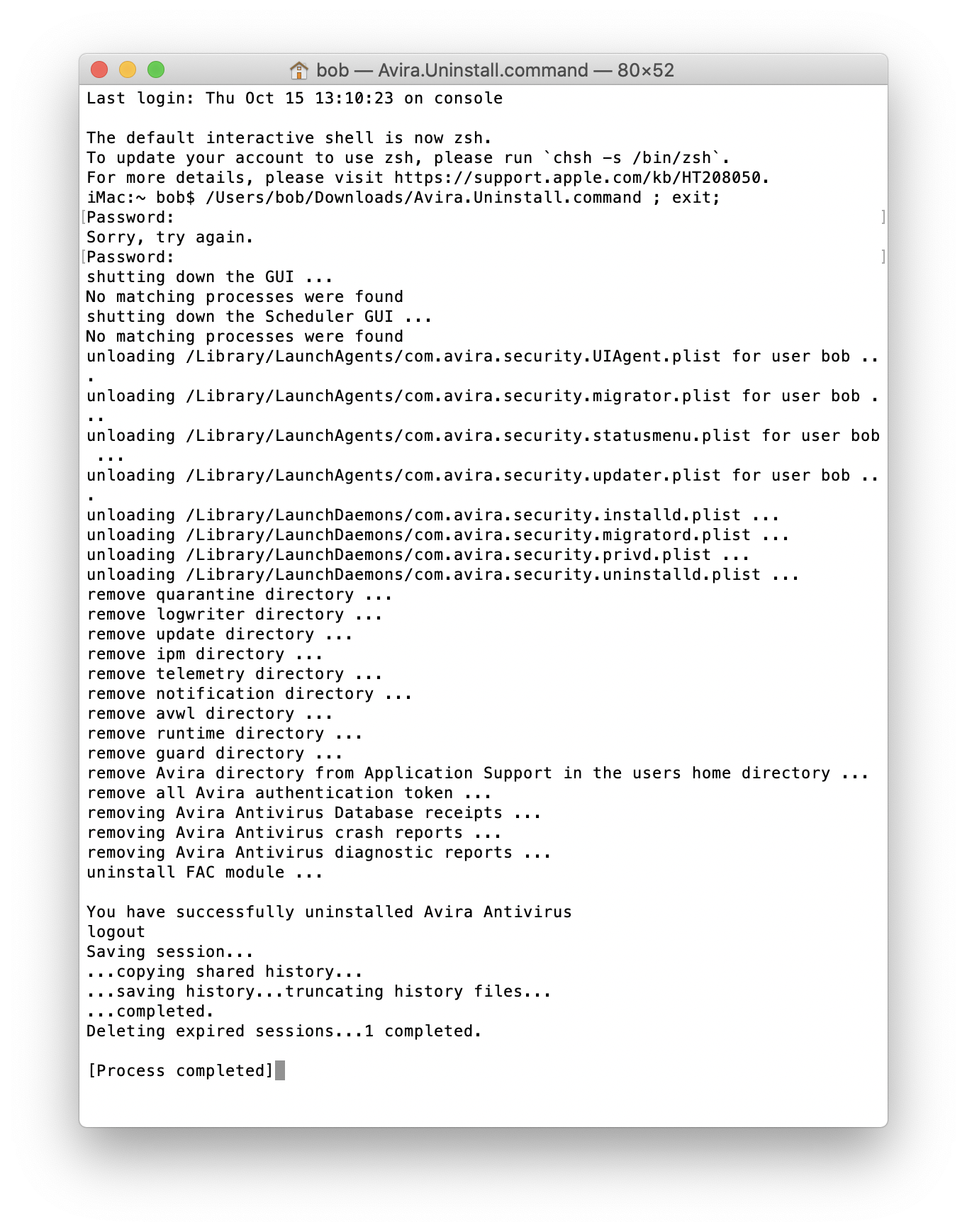
However, when I subsequently search for "Avira", I still get lots of files that appear to be related to Avira software:
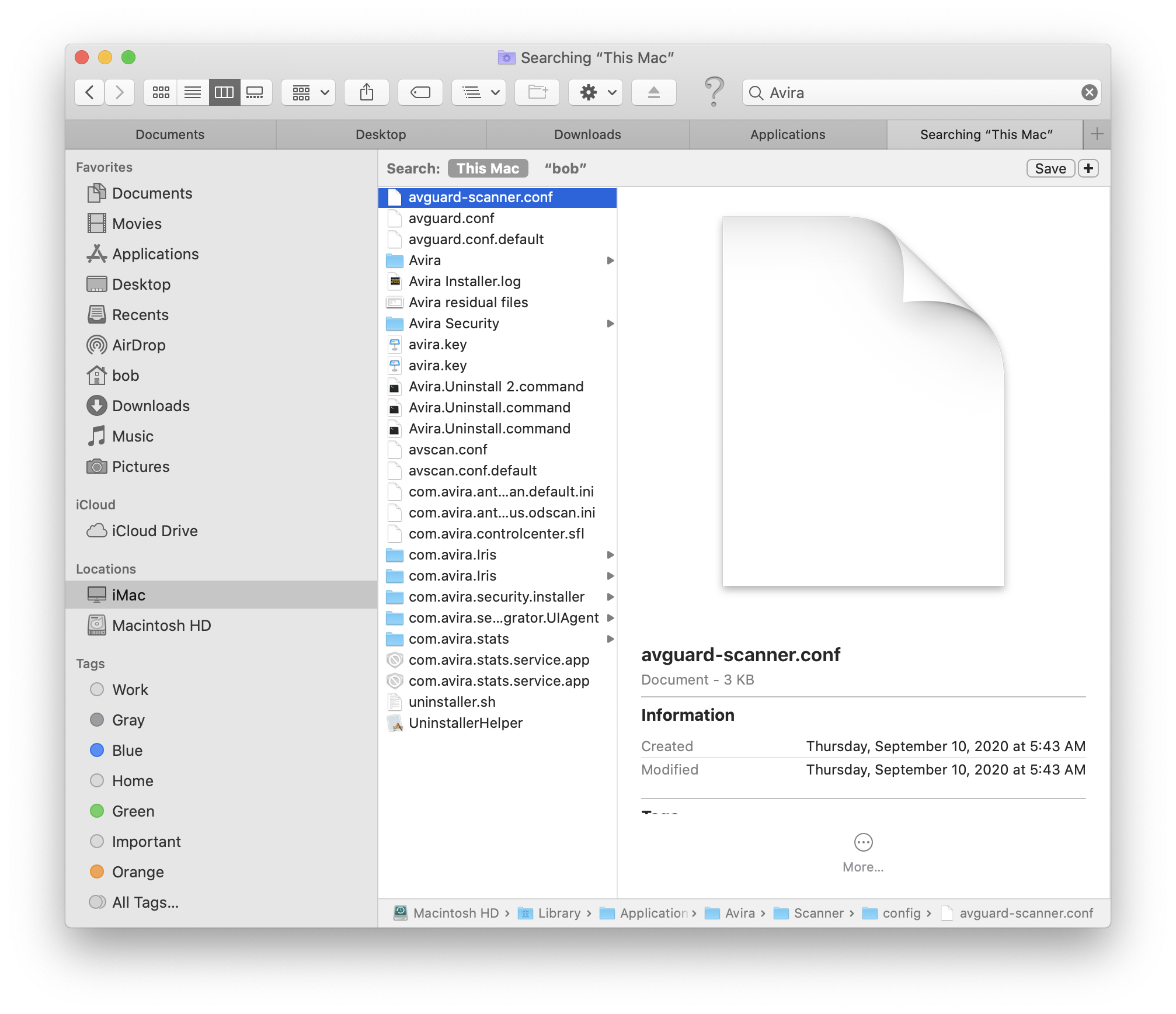
I am running macOS Catalina 10.15.7 on an iMac (Retina 5K, 27-inch, 2019)
0
Post is closed for comments.
Comments
6 comments