


Avira does not work with Big Sur

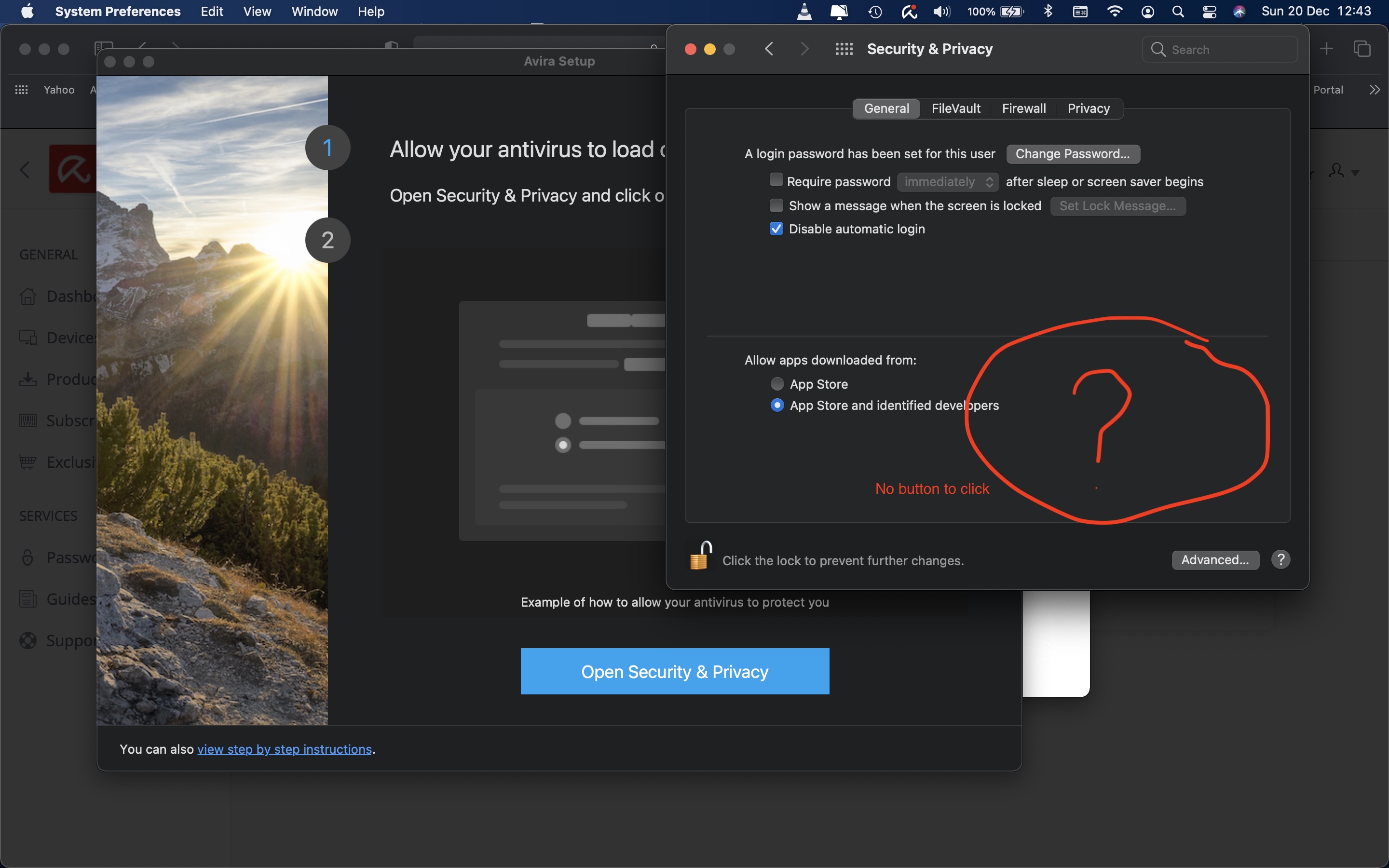
I installed Big Sur and then went to use Avira and it tells me to click continue. I did and followed the instructions. It says to allow Avira to load on this Mac and go to to Security and Privacy and click allow.
Well I did that and there is no 'Allow' to click... Avira is clearly not ready for the change.
Please hurry up and update it
-
Same with me.....
0 -

Same here......sigh
0 -
Same here
0 -

Hello,
Avira Free Security is fully working with macOS 11 Big Sur. Please make sure, you've downloaded the latest version:
https://www.avira.com/en/free-security
If you're having an active Avira license, please login into after installation is completed.
Best,
Lukas Huptas
Avira Community Manager
0 -

Here is the same. Pls, updated for quickly to figure out this issue.
0 -
It is the latest update @ Lucas Huptas.
And yet it still does not work.
I even went and tried to download it again today just to see if it has been update... but alas... Avira has still not done anything for their customers who have paid for their product.
Very disappointing to say the least.. I actually want a refund on my subsection as I can not use the product as advertised because it will not install properly.
0 -

We don't want free stuff, when we have PAYED for stuff, that no longer works. How hard can it be to fix this?? (I have Optimizations Suite, which docent work now)
0 -
And yet still no answer and no fix to this issue caused by AVIRA... this is shocking service...
 0
0 -

I was having the same problem, but I think I figured out what Lukas Huptas was getting at.
Download the Free Version, install it. Then sign into your account. The Free version gets upgraded to the paid version (in my case Prime). I then downloaded the VPN separately and installed it. It's a pain, but I think, it works now.1 -
I pay for Avira Vpn . It does not work on Big Sur period .Even after granting full access !
0
Please sign in to leave a comment.
Comments
10 comments