


Avira Prime
Answered
I bought Avira Prime and installed but every time I restart my PC it turns to a free version.
I am really tired of this to be honest. Does someone have any idea how to fix that, please?

-

Hello Walter,
We would like to try to help you with your request. However, without more detailed information, we are unfortunately unable to do so.
- Where did you purchase the licence, in the Avira online-shop?
- Which operating system is installed on the device?
- Is the licence displayed in the customer account?
- How do you proceed with the installation?
Did you follow the instructions below: https://support.avira.com/hc/en-us/articles/360001861017-How-do-I-purchase-and-install-Avira-Prime-on-cross-platforms-
Unfortunately, we can only help you with the answers to the questions and the exact details of your previous procedure.
We are waiting for your feedback.
Many greetings and have a nice weekend
0 -
Hi Pascha45,
Yes, I purchased the license in the Avira online shop. After that, I got an email with installation instructions for my Windows 10 followed by a link to download the Avira Prime software.
When I installed, the software shows my name on top and I can use all premium features. If I turn off my PC, the next time I try to use Avira, my name is not there anymore and that yellow button on the bottom left side "GET PRIME" is displayed.
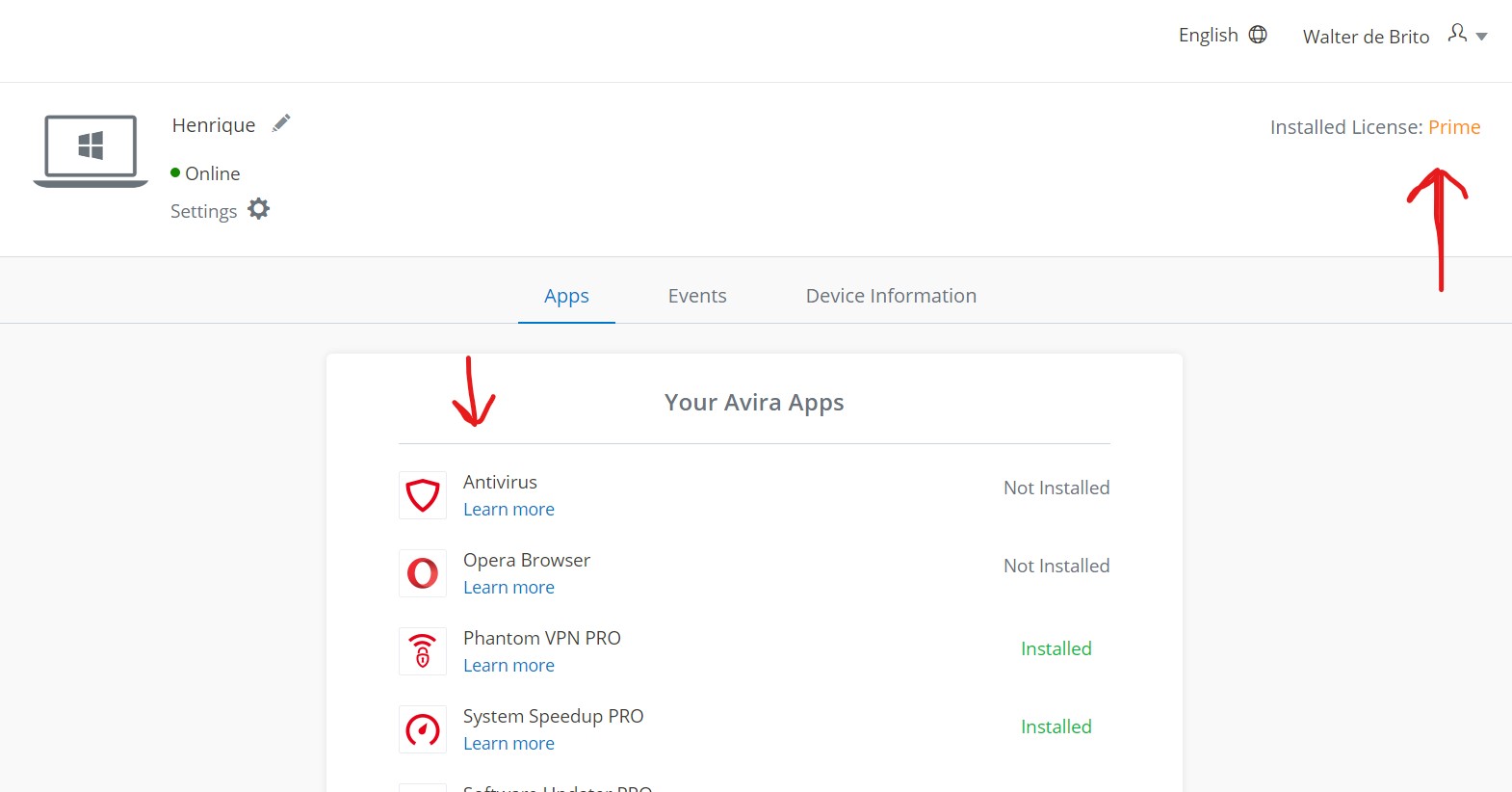
If I try to use the premium features, the software stop responding and freeze.This problem It happens only in my PC. The Avira Prime allows me to install in 5 devices. I installed only in 4 devices, 3 of them are working perfectly, but in my PC is not.
See pic attached 0
0 -
Hello Walter,
Since the installation behaves differently on different devices, you should consider checking the device that is on strike.
As a customer of the Premium products with a valid licence, you can contact the support team directly.
We hope that you will be able to use your licence without any problems after the check.
Many greetings and a nice weekendNOTE: We just saw that you already contacted the support team yesterday and created a ticket there.
0
Please sign in to leave a comment.
Comments
3 comments