


I can't use my licenses on a Windows Computer.
Answered
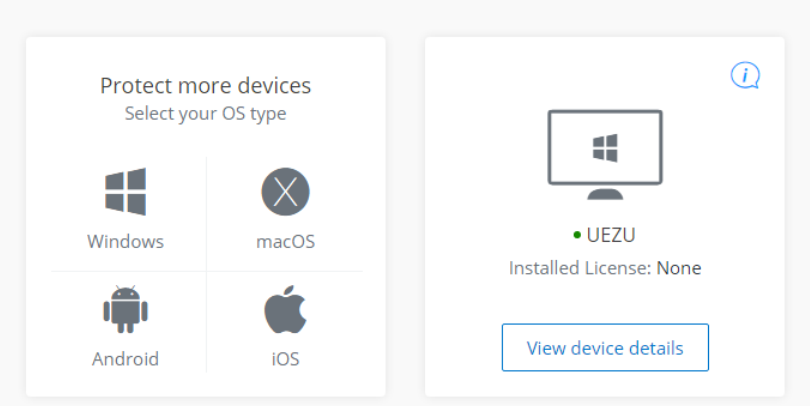
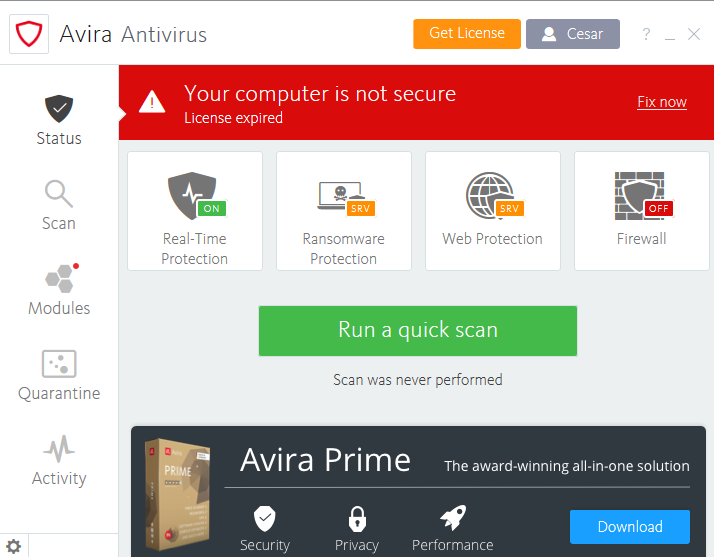
I have 2 subscriptions/licences but i can´t activate any on my windows machine, i uninstalled reinstalled multiple times from my account and select the correct licence before install and still it says FREE and no licences.
-

Hello Cesar,
Your details are difficult to understand. Do you have 2 Prime licences? Then it will be difficult for us without being able to look at your customer account.
You are providing a picture of the Prime version, of which you have 2 licences?Did you log in to the computer on which the activated licence is to be installed with the access data of the licensee and then click on "Install" in the open customer account of the licensee under Subscriptions?
Did you uninstall all old versions before the installation and, because of the multiple installations, did you follow these instructions and clean up before?
How do I perform a manual reinstallation of my Avira product? – Official Avira Support | Knowledgebase & Customer Support | AviraHere you will find instructions for installing Prime:
How do I purchase and install Avira Prime on cross-platforms? – Official Avira Support | Knowledgebase & Customer Support | AviraIf you have any further questions, please specify
- Which OS is installed Version number with all updates?
- Exact description of the Avira license (or the 2 license)
- Which instructions have been used for the installation so far?
- Exact installation procedure.
With the exact answers and precise information we will try to help you with the installation.
As a user of Avira Premium products you have the possibility to submit a ticket to the support team via the support page at any time:
- https://my.avira.com/en/dashboard/subscriptions/tabs/plans
- or
- https://support.avira.com/hc/en-us scroll down ⇒ Contact Avira
The support team has access to your customer account, which we do not have here.
Many greetings and a nice weekend
0 -
Did all that twice, still nothing.
-WIndows Server 2012 R2
-Prime licence business, prime home and antivirus pro. None work.
-Follow all your instructions, clean reinstall, reboot, no activation.
-Same as step 3.
First link don't work, it send me to the forum and knowledge base...
Second link same result.
0 -
Well it seems nothing work, very disappointing for a "german" company.
I will have to ask Paypal to refund me all my money, too bad i can't have my precious time back...
 0
0 -
Hello Cesar,
Your comment:
First link don't work, it send me to the forum and knowledge base...
Second link same result.The links can only work if the licence is correctly installed and activated.
You have now specified your OS: WIndows Server 2012 R2
Here you will find an article on the topic from the year 09-12-2019:
Here you will find a description of this topic from last year:
Partners and customers who currently have licenses for antivirus for business products that extend beyond December 31, 2021, can contact us directly for support at business-support@avira.com.
https://www.avira.com/en/press/update-business-solution
Please contact Avira at the given email addresses, you will receive information about the installation and the Server 2012 R2
Best regards and have a nice Sunday
0
Please sign in to leave a comment.
Comments
4 comments