


How to enter Avira free antivirus configuration settings?
Answered
I understand that the standalone free antivirus isn't available any more. By installing the Avira free security suite, I have access to the anvirus, but not anymore to its settings, like choosing hight heuristics, for example. How do I access these settings (ie: heuristics)?
-

Hello César Augusto,
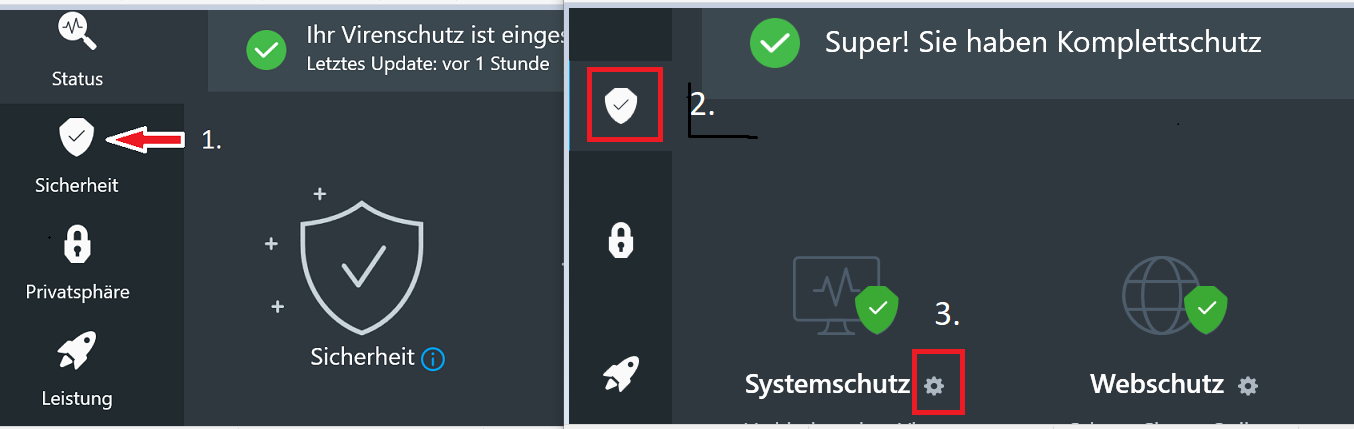
Here is a guide, not sure if this way works for the Free version:
- Click on the Avira icon in the taskbar
- Left vertical bar "Security"
- Security options
- System protection: the small (!) gear to the right
- Security ⇒ Scan ⇒ Heuristics
We hope that these instructions will work in the free version.
We would be pleased to receive feedback.
If anything is unclear, please let us know, and we will be happy to help.Kind regards
0 -
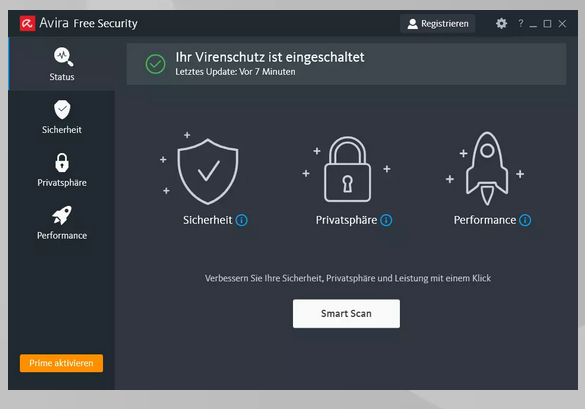
Hi pascha45, thanks for replying. The free version of Avira security does not show up at taskbar as mini icon. Right clicking at the Avira symbol at the desktop shortcut, or at the taskbar (after it was opened) also doesn't reach these security configurations. The settings icon inside the program shows only the language drop-down menu. Maybe it's not possible to configure anymore the heuristics of the free program, but Avira could re-implement that for customers, because it was one of the differentials of the program and also the configuration used on AV testing.
0 -
Hello César Augusto,
The cogwheel at the top right next to the name is only for setting the language.
Have we understood each other correctly? These pictures are not shown to you?
This question is just to be on the safe side, it's a pity if it's not possible to open them.1. Left vertical bar Security 2. Security options
3. System protection the small gear to the right
Kind regards
0 -
Ah, it's because in my system, this doesn't appear
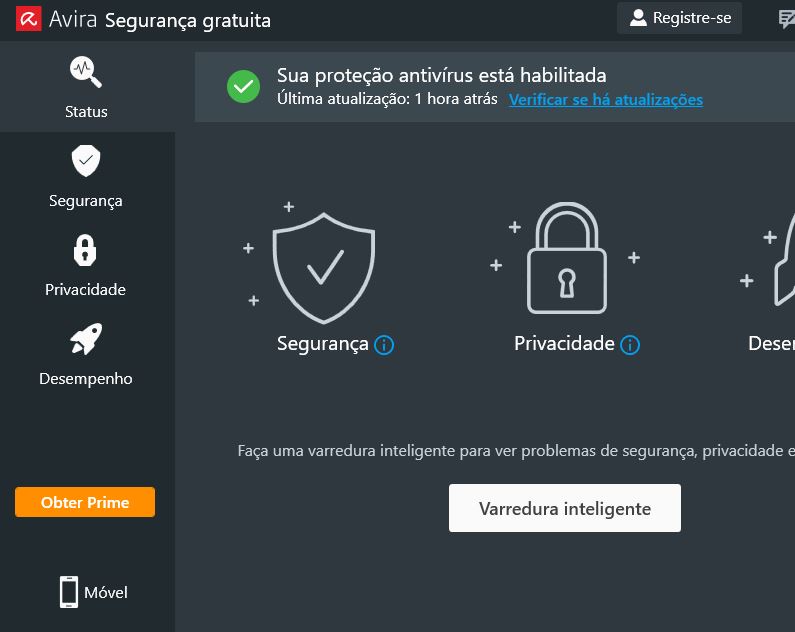
 . Maybe in this country's version it's not available! And, when I try the english version, the system redirects me to this language version again. So, that button appears on your system, but not in mine. Thank you for you reply, best regards!0
 -

Appears. Just click in "opcoes de protecao" area to open the new tab.
--------------
If you wish to open the old UI, go to
"C:\Program Files (x86)\Avira\Antivirus\startui.exe"
and click the "startui.exe"
0 -
Thanks, DV! It worked!
Thanks, pascha45!
Best regards for all!
0
Please sign in to leave a comment.
Comments
6 comments