


Loggin In
Terminée
Hi
Please can someone help me login. The two-step verification process does not work and now I cannot login to do anything on my account.
I have tried to access my account and the verification pin never gets to my handset.
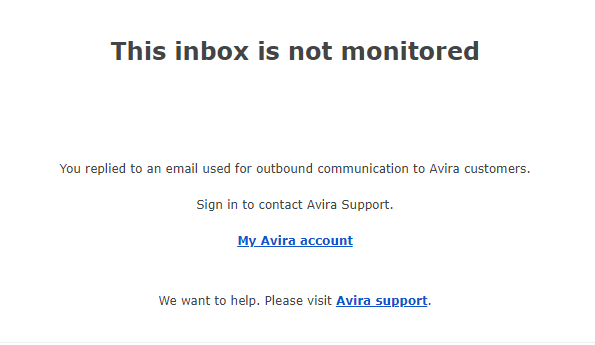
All emails I have used in the past come back with the following and you need to be logged in to be able to get support....so frustrating
-

Hello Glen,
You are writing here in the Avira Community, a publicly accessible forum - an user2user forum.
We have neither access to your Avira customer account and your licence nor access or information about your OS installation.The Avira Community is not a way to contact Avira Support!
See: “How do I create a post? ⇒ Details are important”
See the Avira Community guidelines, everything is described there:Avira Community Guidelines – Official Avira Support | Knowledgebase & Customer Support | Avira
Premium customers with a valid licence and correct registration can contact the Avira support team directly from the Avira customer account under “SUPPORT”: via email, support chat and (partly) phone.
We have no contact with your 2FA setup from here, the Avira Community or the Avira Support Team. If the verification code does not arrive at your cell phone, check your own number and the number you have used for this purpose. Nobody has access to the cell phone number you have stored, only you can store it and, above all, keep it up to date. Has the 2FA connection ever worked?
The digital assistant Mark has no access to your Avira customer account. You can only do this using the data stored in your Avira licence. Please log in correctly to your Avira customer account, this is the only way to make contact.
Avira is subject to the strict requirements of the GDPR and can only be processed by email via your Avira customer account in accordance with the requirements of the General Data Protection Regulation, i.e. in compliance with the GDPR.
Kind regards and have a nice weekendNote: The account you are here writing with was only set up by you on 16.08.2024, so no information about your previously purchased 2FA installation can have been stored here.
Without correct registration and information, no one can provide information about your request!0
Vous devez vous connecter pour laisser un commentaire.
Commentaires
1 commentaire