


How do I install a purchased Prime license? Avira installation instructions will not proceed, even after I reload the timed out session page.
Terminée
-

Hello Warren,
First it would help us if you tell us where you bought the license and whether it is a monthly or annual license. If you paid with PayPal, the shipping address is important or PayPal will create a new account for the license.
Let's assume that you purchased an annual license in the Avira Online Shop.
It is important to register with the email address used at the time of purchase, then log in to the customer account at https://my.avira.com/ with these access data and install the activated license from here.
The license will be automatically activated on the customer account with the e-mail address used during the purchase. See here for instructions on installing the activated license:
https://support.avira.com/hc/en-us/articles/360000736865-How-do-I-reinstall-my-activated-Avira-product-Does this information help you? If something is still unclear, please let us know, we are happy to help.
Many greetings and a nice weekend
1 -

Hello Warren,
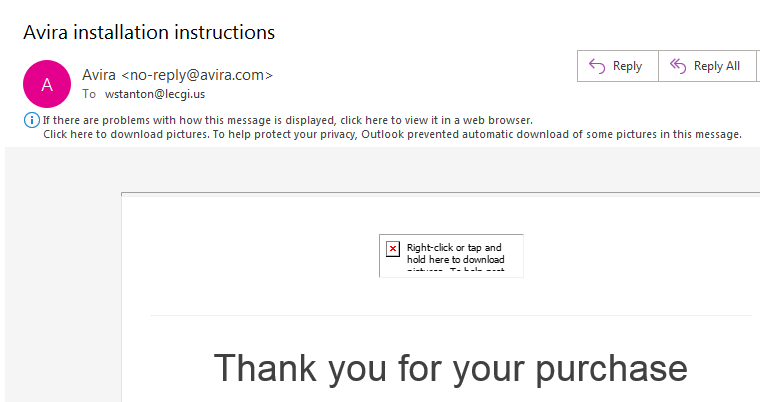
As pascha45 already explained I would like to give you a deeper inside about the initial issue which you're dealing with. Your provided screenshot looks like that your email client is hardened by security settings which prevent loading additional content from https requests.
So, depending on your used email client these settings can force issues in general. If possible, please change this setting to avoid further issues. As an example please see this article from Microsoft:
Best,
Arthur Lukas Huptas
Avira Community Manager
0
Cette publication n’accepte pas de commentaire.
Commentaires
2 commentaires