


win 10 Home 64b v1909 - Impossible to reinstall avira antivirus free - "Your installation couldn't finish"

Hi,
I deeply and strictly follow this article below to manually clean my computer, with success but avira new installation still fails.
https://support.avira.com/hc/en-us/articles/360003958298-Issues-with-the-installation-
I'm using a win 10 Home edition version 1909.
This win 10 computer was a win 7 that was upgraded to win 10. It worked for more than 7 months with win10 and avira with no problem. Last week Avira refused to continue working. I had to unsintall and reinstall it with no success.
Today I redo the uninstall/install as mentionned in article above with safe mode, and avira registry cleaner and so on.
As this win10 is a win 7 upgraded to win 10, I also did the netsh winsock reset action.
Still the same failure when I try to reinstall at the end.
So exactly the same problem than in this article
https://support.avira.com/hc/en-us/community/posts/360009469997-Update-installation-and-repair-problem-
I really appreciate avira antivirus tools since years. Could you please help me with this issue?
Thank you
-

Hi Cedricm,
I'm sorry you're experiencing problems with our software. I know how frustrating it is putting time into getting something to work with no success.
Please have a look into this microsoft link and follow the instructions: https://support.microsoft.com/en-us/help/929833/use-the-system-file-checker-tool-to-repair-missing-or-corrupted-systemAfterwards, please install Avira again via your account at my.avira.com
This should already solve the aborting installation.
Best regards
Hendrik0 -
Hallo Hendrik,
Danke schön for your reply.
I followed microsoft link /instructions: https://support.microsoft.com/en-us/help/929833/use-the-system-file-checker-tool-to-repair-missing-or-corrupted-system
It found 12 corrupted files and repaired them.
then I redid successfully actions mentionned there
https://support.avira.com/hc/en-us/articles/360002858514-How-do-I-perform-a-manual-reinstallation-of-my-Avira-Antivirus-product-so I redid the uninstall/install as mentionned in avira article above with safe mode, and avira registry cleaner and so on + netsh winsock reset action + N reboots
But finally still the same failure when I try to reinstall at the end. unable to finishBelow are logs to help any other avira user ; still hoping we will find a solution to this issue.
sorry my computer is in french so logs below includes lots of frenc h words but I manually added an english comment for english readers.
Hendrik, I really appreciated your help. I hope you have other ideas to solve this.
Thank you
BR
cedric
----
# step 1 - DISM.exe restorehealth command finished successfully
C:\WINDOWS\system32>DISM.exe /Online /Cleanup-Image /RestoreHealth

Outil Gestion et maintenance des images de déploiement
Version : 10.0.18362.900

Version de l’image : 10.0.18363.1082

[==========================100.0%==========================] La restauration a été effectuée.
L’opération a réussi.

C:\WINDOWS\system32>
# step 2 - sfc /scannow command finished successfully and repaired 12 files
C:\WINDOWS\system32>sfc /scannow

Début de l’analyse du système. Cette opération peut nécessiter un certain temps.

Démarrage de la phase de vérification de l’analyse du système.
La vérification est à 100% terminée.

La Protection des ressources Windows a détecté des fichiers corrompus et les a réparés.
Pour les réparations en ligne, les détails sont inclus dans le fichier journal de CBS situé à l'emplacement suivant :
windir\Logs\CBS\CBS.log. Exemple : C:\Windows\Logs\CBS\CBS.log. Pour les réparations
hors connexion, les détails sont inclus dans le fichier journal fourni par l'indicateur /OFFLOGFILE.

C:\WINDOWS\system32>
Please find below only relevant extract from CBS/log. (This log is generated by sfc /scannow command)
findstr /c:"[SR]" %windir%\Logs\CBS\CBS.log >"%userprofile%\Desktop\sfcdetails.txt
It repaired 12 corrupted files and finish successfully2020-09-09 15:01:42, Info CSI 000001f0 [SR] Repairing corrupted file \??\C:\ProgramData\Microsoft\Windows Defender\Definition Updates\Default\\MpEngine.dll from store
2020-09-09 15:01:43, Info CSI 000001f2 [SR] Repairing corrupted file \??\C:\ProgramData\Microsoft\Windows Defender\Definition Updates\Default\\MpAsBase.vdm from store
2020-09-09 15:01:43, Info CSI 000001f3 [SR] Repairing corrupted file \??\C:\ProgramData\Microsoft\Windows Defender\Definition Updates\Default\\MpAsDlta.vdm from store
2020-09-09 15:01:43, Info CSI 000001f4 [SR] Repairing corrupted file \??\C:\ProgramData\Microsoft\Windows Defender\Definition Updates\Default\\MpAvBase.vdm from store
2020-09-09 15:01:43, Info CSI 000001f5 [SR] Repairing corrupted file \??\C:\ProgramData\Microsoft\Windows Defender\Definition Updates\Default\\MpAvDlta.vdm from store
2020-09-09 15:03:17, Info CSI 000002ab [SR] Repairing corrupted file \??\C:\WINDOWS\Microsoft.NET\Framework\v1.0.3705\\mscormmc.dll from store
2020-09-09 15:03:22, Info CSI 000002b6 [SR] Repairing corrupted file \??\C:\WINDOWS\Microsoft.NET\Framework\v1.0.3705\\mscormmc.dll from store
2020-09-09 15:03:23, Info CSI 000002b7 [SR] Repairing corrupted file \??\C:\ProgramData\Microsoft\Windows Defender\Definition Updates\Default\\MpAsBase.vdm from store
2020-09-09 15:03:23, Info CSI 000002b8 [SR] Repairing corrupted file \??\C:\ProgramData\Microsoft\Windows Defender\Definition Updates\Default\\MpAsDlta.vdm from store
2020-09-09 15:03:23, Info CSI 000002b9 [SR] Repairing corrupted file \??\C:\ProgramData\Microsoft\Windows Defender\Definition Updates\Default\\MpAvBase.vdm from store
2020-09-09 15:03:23, Info CSI 000002ba [SR] Repairing corrupted file \??\C:\ProgramData\Microsoft\Windows Defender\Definition Updates\Default\\MpAvDlta.vdm from store
2020-09-09 15:03:23, Info CSI 000002bc [SR] Repairing corrupted file \??\C:\ProgramData\Microsoft\Windows Defender\Definition Updates\Default\\MpEngine.dll from store
2020-09-09 15:03:23, Info CSI 000002be [SR] Repair complete# step 3 - avira install new retry (not in safe mode) I tried to reinstall avira . It failed, still unable to finish
# step 4 - I redid (just in case)
- DISM.exe /Online /Cleanup-image /Restorehealth (still no issue there)
- sfc /scannow
C:\WINDOWS\system32>sfc /scannow

Début de l’analyse du système. Cette opération peut nécessiter un certain temps.

Démarrage de la phase de vérification de l’analyse du système.
La vérification est à 100% terminée.

Le programme de protection des ressources Windows n’a trouvé aucune violation d’intégrité.

C:\WINDOWS\system32>
no problem detected by sfc /scannow command this time (it makes sense)
# step 5 -
I tried to reinstall avira.
as mentionned in avira article above with safe mode, and avira registry cleaner and so on + netsh winsock reset action + N reboots
=> It failed, still unable to finish :(0 -
Hi Cedricm,
it's sad to hear this didn't work. Can you please submit a request directly though our Email support form?
You can find it by scrolling down here: https://support.avira.com/hc/en-us
Also try to just perform a normal installation via your account (my.avira.com) after you followed the Microsoft instructions to repair corrupted systems.
Best regards
Hendrik0 -
Hi Hendrik,
thank you for your reply
> Can you please submit a request directly though our Email support form?
>You can find it by scrolling down here: https://support.avira.com/hc/en-usunless I misread, I cannot open a support request as I'm using the avira free version. this was why I used the community forum through this current thread.
@... Did you mean something else, or a link I missed?
> Also try to just perform a normal installation via your account (my.avira.com) after you followed the Microsoft instructions to repair corrupted systems.I was not convinced it would change anything (download the exe from my avira account instead than from avira repository (without being connected)) but I did. Same result => It failed, still unable to finish :(
French message in capture below means "installation could not finish"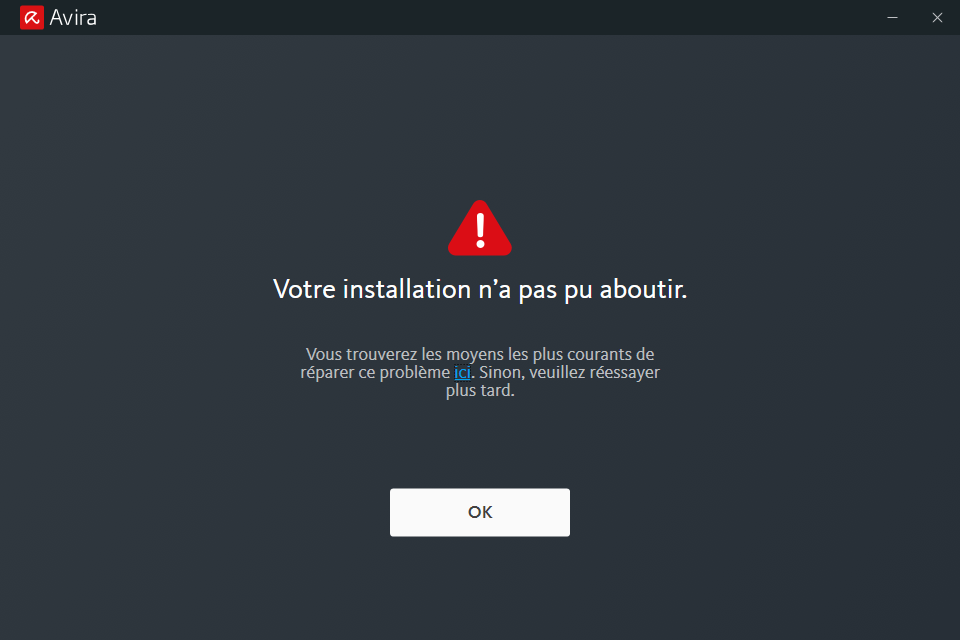
Below are details and logs to help any other avira user ; still hoping we will find a solution to this issue.
So from my avira account, I clicked on dashboard > install free avira security. as shown here@..., was it this you had in mind?
https://snipboard.io/pz8eGN.jpghttps://snipboard.io/pz8eGN.jpghttps://snipboard.io/pz8eGN.jpghttps://snipboard.io/pz8eGN.jpg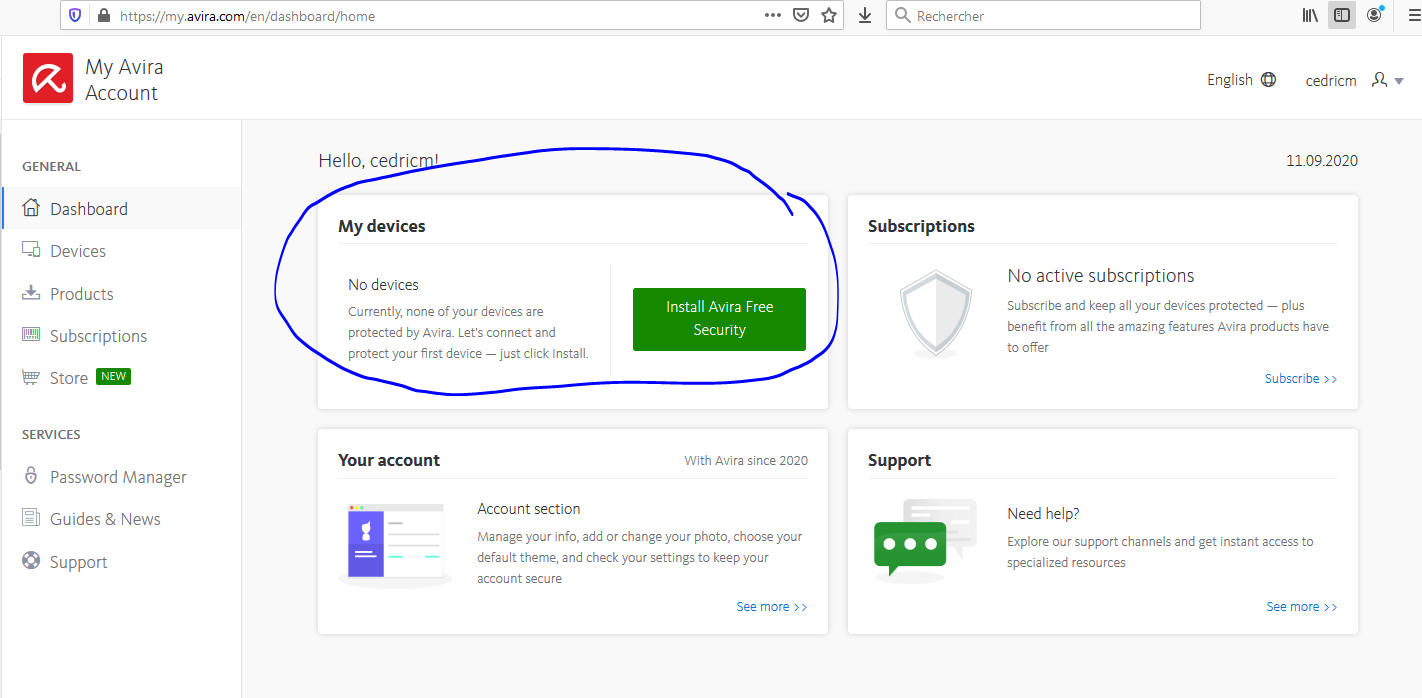
NB: I did not use subscription menu, as it only propose to install a non free version.
so I followed the Microsoft instructions to repair corrupted systems. everything was fine
dism command worked successfully (health was ok)C:\WINDOWS\system32>DISM.exe /Online /Cleanup-image /Restorehealth
Outil Gestion et maintenance des images de déploiement
Version : 10.0.18362.900
Version de l’image : 10.0.18363.1082
[==========================100.0%==========================] La restauration a été effectuée.
L’opération a réussi.
C:\WINDOWS\system32>sfc command worked successfully (no corrupted file found)
C:\WINDOWS\system32>sfc /scannow

Début de l’analyse du système. Cette opération peut nécessiter un certain temps.

Démarrage de la phase de vérification de l’analyse du système.
La vérification est à 100% terminée.

Le programme de protection des ressources Windows n’a trouvé aucune violation d’intégrité.

C:\WINDOWS\system32>
then I download and install from my.avira.com
and still same result => It failed, still unable to finish :(
@... I really appreciated your help. I hope you have other ideas to solve this. Please do not tell me the only way is to buy a non free version. I do not have enough money for that. I would be forced to swith to a competitor free version, while I was so happy with avira product since a decade. :(Thank you
BR
cedric
0 -
Hi Hendrik,
just to mention that I redid a new attempt:
- windows in safemode
- cleaning win folders
- avira registryCleanerI did not pay attention earlier than when using avira registryCleaner in safe mode, it managed/removed about 1153 keys but not those 6 ones.
when I try to delete them manually through regedit, same error status : impossible.
Any idea to remediate this from your knowledge base?Removing product "Avira Connect (Launcher)"
...
Key "HKEY_CLASSES_ROOT\WOW6432Node\CLSID\{F6D90F11-9C73-11D3-B32E-00C04F990BB4}" not deleted (access denied or locked)
Key "HKEY_CLASSES_ROOT\CLSID\{F6D90F11-9C73-11D3-B32E-00C04F990BB4}" not deleted (access denied or locked)
Key "HKEY_CLASSES_ROOT\WOW6432Node\CLSID\{000C101C-0000-0000-C000-000000000046}" not deleted (access denied or locked)
Key "HKEY_CLASSES_ROOT\CLSID\{000C101C-0000-0000-C000-000000000046}" not deleted (access denied or locked)
Key "HKEY_CLASSES_ROOT\WOW6432Node\CLSID\{BFE18E9C-6D87-4450-B37C-E02F0B373803}" not deleted (access denied or locked)
Key "HKEY_CLASSES_ROOT\CLSID\{BFE18E9C-6D87-4450-B37C-E02F0B373803}" not deleted (access denied or locked)
...
Done: FailureMoreover I noticed from resource panel that Avira Browser Safety cannot be uninstalled. each time I tried, I got an OS version compatibility error message
see capture below
reminder : my computer was upgraded from a win 7 64b home to a win 10 64b home.
so exactly what is mentionned here https://answers.microsoft.com/en-us/windows/forum/all/after-upgrade-to-windows-10-cannot-uninstall-avira/130d2072-aea9-46f4-8333-43881607776bbut the solution is to use avira registryCleaner.
so I'm looping and I assume registry keys that cannot be deleted are linked to Avira Browser Safety.
any idea ?Thank you
BR
cedric
0

Please sign in to leave a comment.
Comments
5 comments