


A new blank and "unkilling" popup has appeared, wow!

Thank you Avira for this new amazing present for your users, after compulsory installing unwanted staff such as VPN, speddup and so on..
We're facing a blank big popup that isn't possible to close or to kill! No X signs anywhere, no references to understand it comes from Avira.. and the ony way to emove it is to reboot computer! Or, better because it will appear again somehow, to remove completely Avira!
You may think deeper to your users to have better considerations of us and our inconveniences in future, thank you.

-
Waiting for your kind support.
Today another computer with this unremovable stupid popup. NEED YOUR ASSISTENCE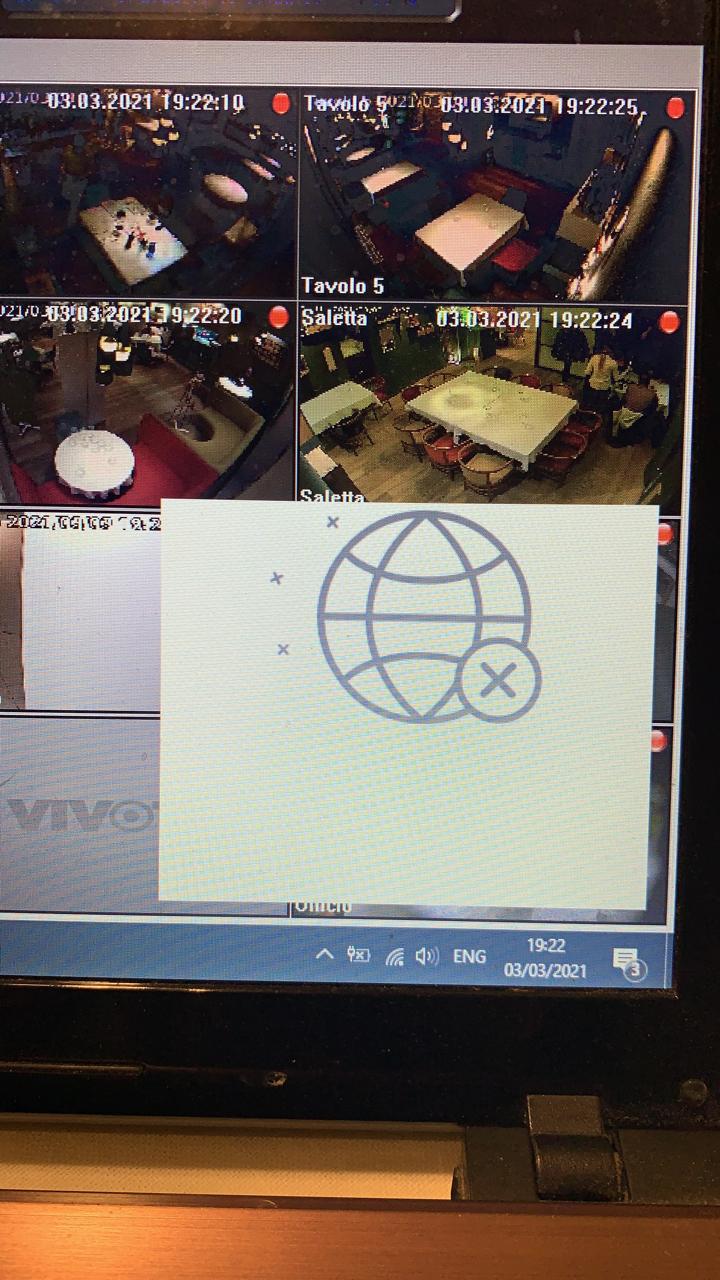 0
0 -
In the window there is an OK; but you cna press it how many time you want and it solves nothing
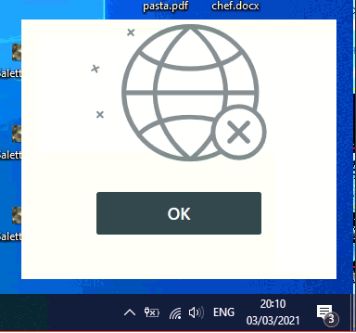 0
0 -
the window can be removed only by killing the right avira security (32) (if there are many), kill all till the right one
0 -

Hello Barabba.
This problem should be fixed after a repair process or at least after a complete reinstallation of the Software.
Unfortunately, we can't control every technical problem that could occur on a Device.
So for the repair / reinstallation there is an instruction which helps you step by step.
Repair Instruction:
https://support.avira.com/hc/en-us/articles/360014370037-Repair-your-Avira-Security-for-Windows
Reinstall Instructions:
https://support.avira.com/hc/en-us/articles/360003162153-Uninstallation-of-Avira-for-Windows
Best,
Felix Bär
Avira Customer Service Engineer
0 -
Thank you for reply, You'd better inform the technical staff about this unbelievable problem.
I'll uninstall and reinstall, I'll report here if the probem stil0 -

I have this on two different computers running Windows 10, Windows updated are current. I have just done the REPAIR which this option only appears after selecting Uninstall in Apps. I'll see if it fixes the issue or not.
0 -
I got it popping back after doing the Repair!! I downloaded and installed the package again. Version appears the same. It didn't remove and reinstall itslef. I seemed like and in place install.
I am pretty certain this is a bug in the program and clearly it has to be happening to a ton of users. It just they're not able to identify what its from, who's responsible and end up at Avira site to confirm as I did.
The majority of those popups are Ads and upgrade info related.
Not impressed with the product anyway with the newer suite version. I don't want if messing with my registry, permissions etc. I do my main scanning with Malwarebytes.
0
Please sign in to leave a comment.
Comments
7 comments