


Avira prime for more than one user
Completed
-

Hello Bruno,
We don't quite understand what you are saying.
Here is a description of the Prime version:
What is Avira Prime? – Official Avira Support | Knowledgebase & Customer Support | Avira
If you don't have a need for 25 devices, a licence for 5 devices would be recommended. You can check in which time you can change your purchase.
Premium customers with a valid licence can contact the support team directly:
https://my.avira.com/en/dashboard/support/tabs/support
or
https://my.avira.com/de/dashboard/home scroll down to Contact Avira.Here you will find instructions on how to purchase and install the Prime version:
How do I purchase and install Avira Prime on cross-platforms? – Official Avira Support | Knowledgebase & Customer Support | AviraIf something is still unclear, please let us know, we are happy to help.
Many greetings and have a nice Weekend
0 -
Thank you for the prompt answer! I have a license, which allows me to install avira premium on 25 devices, but I do not own 25 devices... therefore I wanted to share the remaining available installations with members of my family, but it does not allow it without having the same account details, which is connected with other accounts and passwords ( e.g., Facebook, Instagram, LinkedIn, etc).
My question: is it possible to share a premium account with more than one user?
0 -
Hello Bruno,
An attempt to answer your question:
YOU have purchased the licence, it is in your name and the licence for 25 devices is accessible with the password you have chosen.
You are the owner of the licence, there is only one owner of the licence. You can share your licence with other users via your consent to other devices.YOU can decide which devices you allow participating in the Avira applications with this Prime licence.
Persons are not required, it says up to "25 DEVICES" are allowed to install Prime on different operating systems.
You allow the selected owners of these devices to access and use your licence with your access data, the email address and the password you have chosen for your activated licence. These installed devices will be displayed to you in your customer account under "Devices".
The transfer of the licence to the devices selected by you is described in the attachments already provided, possibly by e-mail or QR code.In addition, you have already been in contact with the support team and received instructions for installation from them, see:
Para instalar la licencia en todos los dispositivos, siga los pasos abajo...You send your licence by e-mail or QR code to the selected devices of the persons selected by you, and they can log in to your licence with your access data and install and set up it as desired under ABOS in this customer account.
With your access data, the devices of the persons of your choice can participate in this licence.
This way, several users can participate in your licence with 25 devices. We hope we have explained it clearly.
If anything is still unclear, please let us know, we will be pleased to help.
Many greetings and have a nice Sunday
0 -

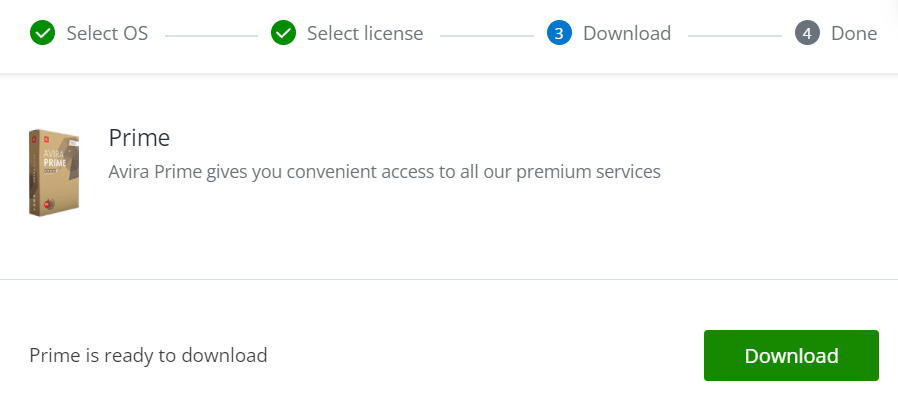
I received the email, I click on the link provided and I receive the following image yet it adds my computer but doesnt add the prime license giving me a free one instead...
 0
0 -
Hello Emanuel,
We do not fully understand your information. Which OS do you have installed?
Did you follow the instructions below:
How do I purchase and install Avira Prime on cross-platforms? – Official Avira Support | Knowledgebase & Customer Support | AviraIf it does not work according to these instructions, we can only respond to your questions with accurate information about these instructions. Thank you for your understanding.
Many greetings
0
Please sign in to leave a comment.
Comments
5 comments