


How can I scan a specific folder or file

I just installed avira latest version, but I do not know how to scan a specific file, photo, folder or video that I want to make sure it is safe.....
in the previous version, you just right click the file and you will find (scan this file)....but it is different in this version. So how can I do it in this version?
Thank you!
-

Hello Baloza,
We cannot narrow down your question exactly.
- Which Windows version is installed on your system? (Current with last update?)
- Which Avira version is it (free or paid, exact version number)
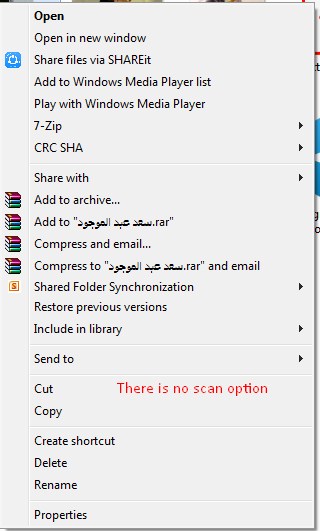
- With me, the Avira check is still offered in the right mouse button.
Did you still have the option to select the shell extension during the Windows installation?
The shell extension creates an entry to scan selected files with Antivirus in the context menu of Windows Explorer (right mouse button). With this entry, you can scan individual files or directories directly.
Please check whether these were selected during your Avira installation:

During a repair installation, you could later activate the option "Shell Extension".
You would have to check now for yourself whether this is offered in your version of Windows.
If something is still unclear, please let us know, and we will be happy to help.
Best regards
0 -
Thank you for replying. The problem is the only thing installed is Avira security, while avira antivirus is not. Even when I open the security section, I cannot find a scanning option.
What do you think the problem is?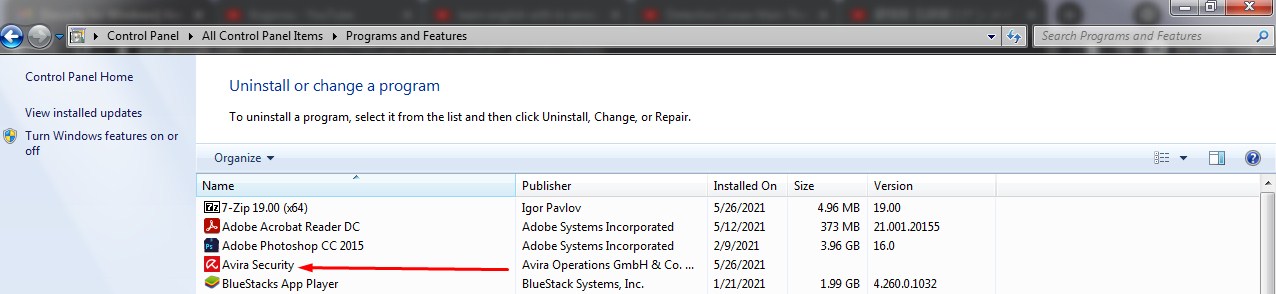
 0
0 -
Hello Baloza,
Have you done a repair installation?
Here is a description to your question, a translation you would have to do yourself - please.
Note:
With us, the check with the right mouse button is inserted again.

Maybe this information will help you...
Kind regards and have a nice weekend
0 -
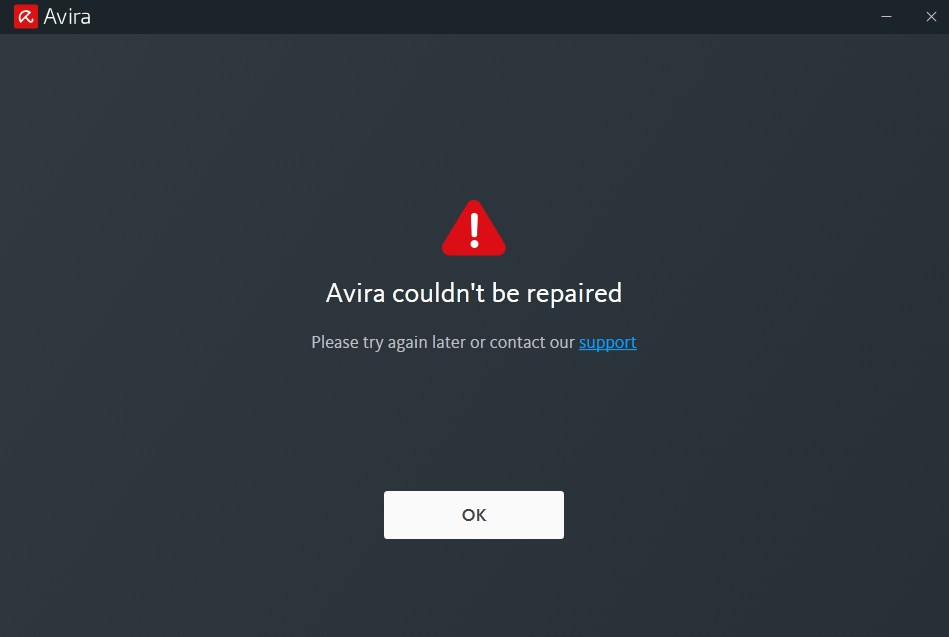
That is what I get when I try t repair it. As for the shell checking while installing, I did not even have the chance because the installation process was one-sided as you see in the second photo.....
 0
0 -
Hello Baloza,
In the instructions for the repair installation Avira Antivirus, the
"Avira Antivirus exe" is provided.
https://support.avira.com/hc/en-us/articles/360000746709-How-do-I-repair-my-Avira-Antivirus-
If this is not displayed in the link, you should contact the support team.
We regret that we can only help you with this information, i.e. we cannot give you any further information about your problem.
Many greetings and have a nice weekend
1 -
Thank you so much. That what was needed.
but why when I downloaded it, only avira was downloaded and avira antivirus was not?
How can I download it the right way the next time?
also, how can I contact support
0 -
Hello Baloza,
We are pleased that you could reinstall your desired setting.
The support team can be contacted directly for Premium customers.
Unfortunately, it was overlooked that you did not install the Avira Premium version but the Avira Free version.
For Premium customers with a valid license, contact can be made directly from the customer account under Support:
https://my.avira.com/en/dashboard/support/tabs/supportHave fun with the rediscovered setting.
Many greetings
0
Please sign in to leave a comment.
Comments
7 comments